From vacant to signed, on one screen.
Listings, tours, applications and leases share one pipeline. The leasing dashboard shows who is waiting at which step, and for how long.
14 days free on any plan. Card up front, cancel in one click.
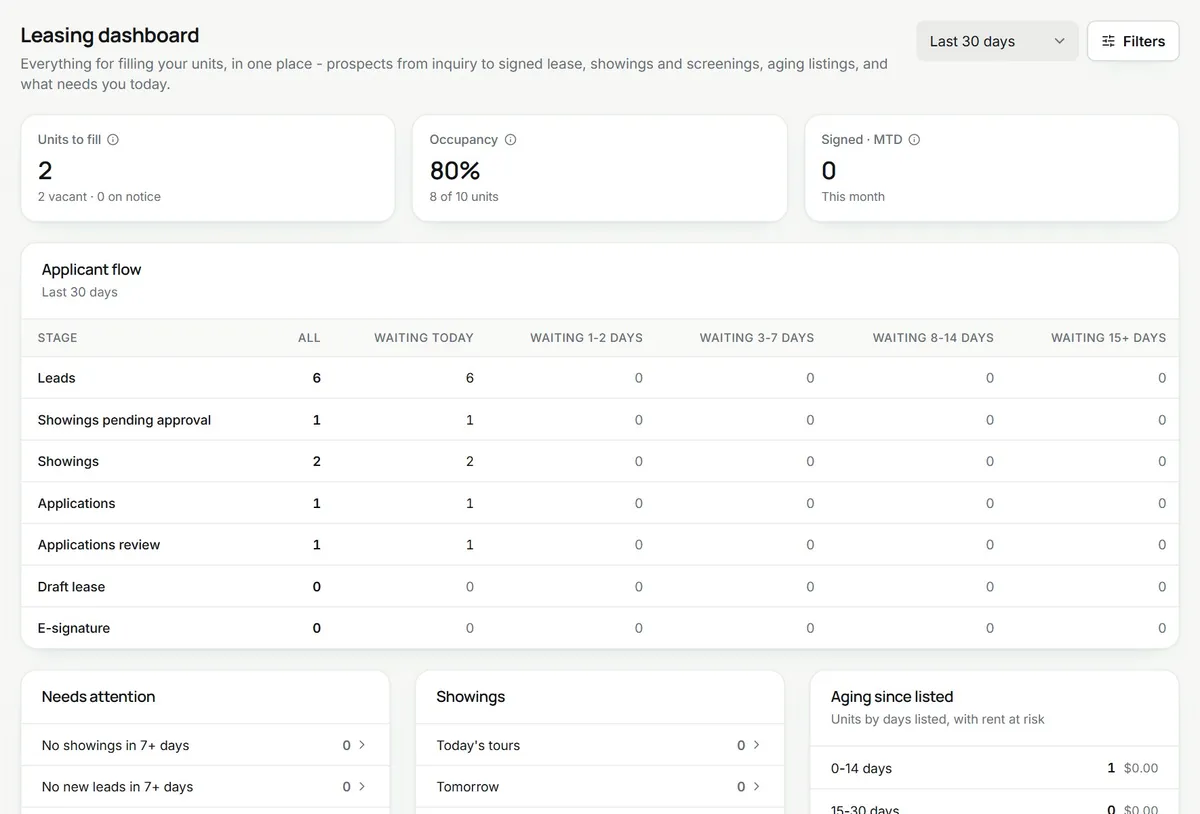
A lease-up, step by step. Listing, application, signature.
List a unit from its own record
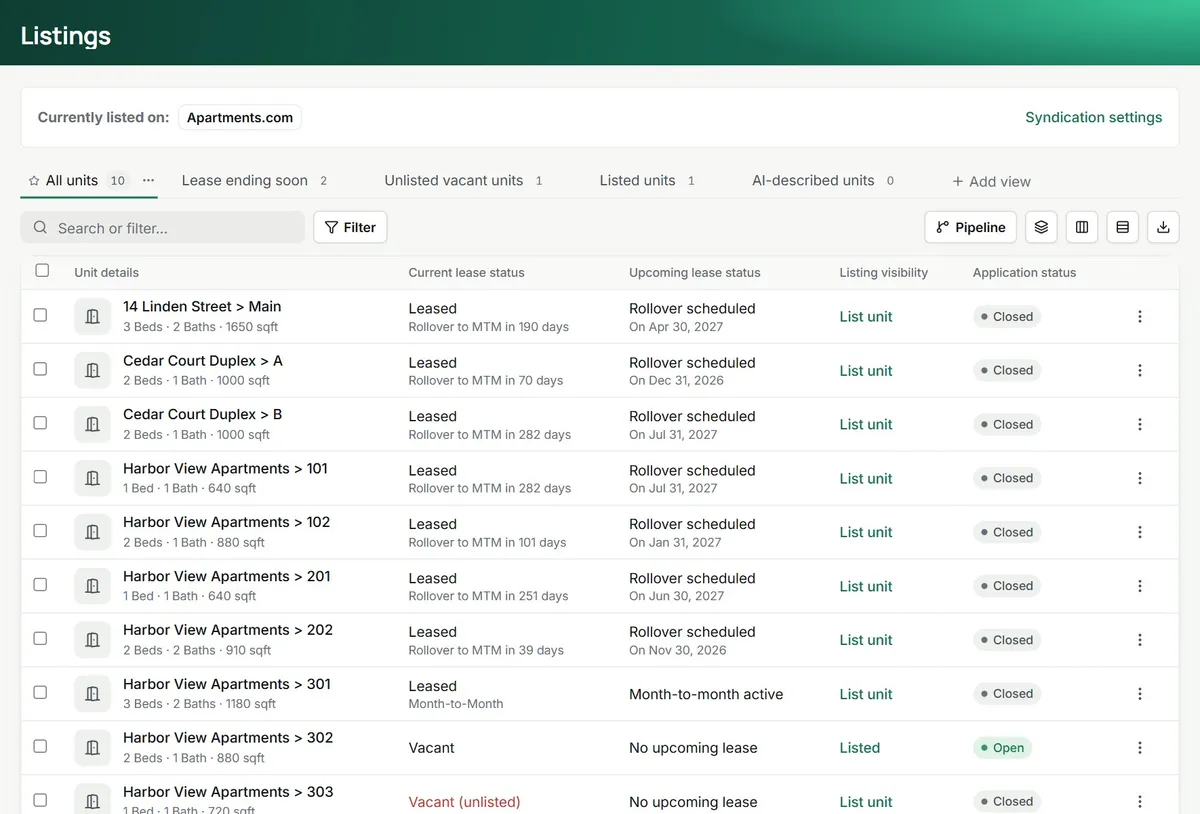
Every unit already has its rent, beds, baths and photos, so listing it is a click. The listings page shows what is listed, what is vacant and unlisted, and what is about to come free.
- Vacant, ending-soon and listed views
- A listing feed in the format rental sites read
- AI-written descriptions on Pro and Premium
Applications that turn into leases
Applicants apply online, pay the fee you set and upload documents. When you approve, the lease wizard opens with the applicant, unit and move-in date already filled in.
- Online application with document upload
- An application fee you set, paid to your Stripe account
- Approve with reasons the applicant can see
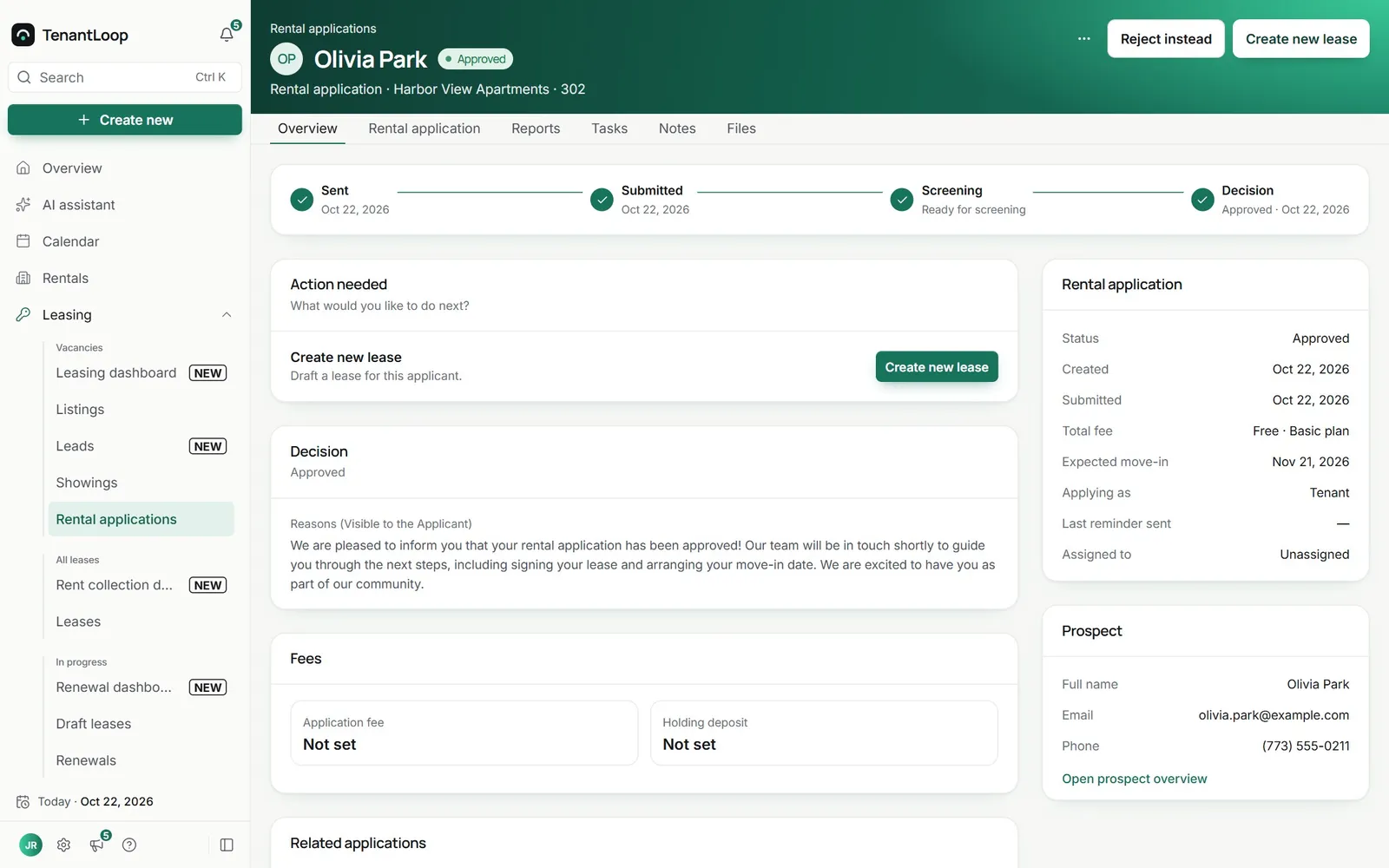
approve, then one click to draft the lease
Signed online, with a trail
Send the lease, a renewal or an addendum for signature from the lease itself. Tenants sign in the browser, you countersign, and the lease turns active.
- Lease templates with your own clauses
- Signing through Dropbox Sign, with an audit trail
- The first payment link in the same email
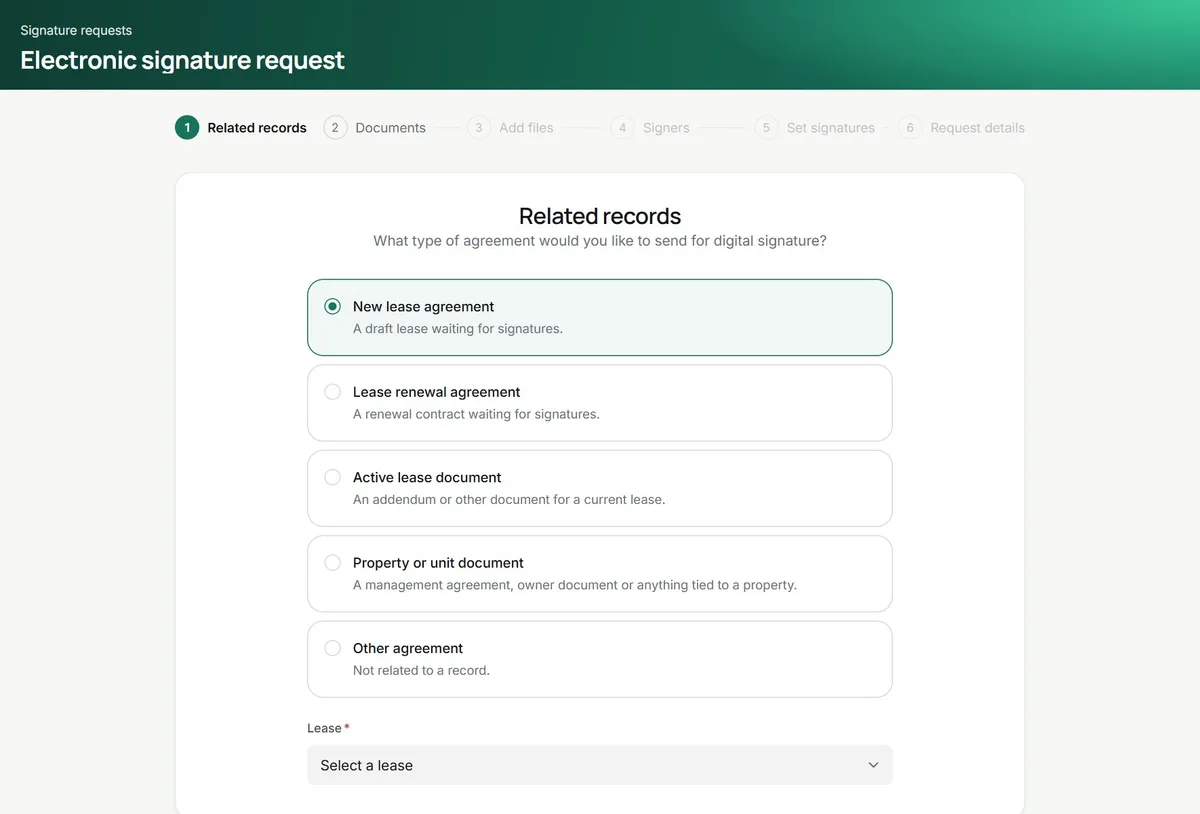
Leads, tours, applications and leases, (crossed out: in four inboxes) in one pipeline.
Leasing, switched on.
Bring your units and go.
- Leasing dashboard. Applicant flow, today's tours, aging listings and what needs attention.
- Showings. Prospects book tours from your open hours. See showings.
- Holding fees. Take a holding fee to reserve the unit while the lease is drawn up.
- Renewals. A renewals dashboard for leases coming up, and the Lease Renewal agent on Premium.
Prospect agent (Premium). Replies to every new lead from your listing facts, asks your qualifying questions, scores the lead, sends the tour link and then the application. It writes only from 8 a.m. to 9 p.m. and stops when someone opts out or a teammate replies. Watch a run
Leasing questions, answered.
Can I put my listings on rental sites from TenantLoop?
TenantLoop builds a listing feed for each site you switch on, in the standard format rental sites read. Whether and when a site shows your units is up to that site. Your listings can also go on your own TenantLoop website.
How do I see where each vacancy stands?
The leasing dashboard shows units to fill, occupancy, signed leases this month and the applicant flow from lead to e-signature, with how long people have waited at each step.
Do I need my own Dropbox Sign account?
No. E-signatures run through TenantLoop. You only send and sign.
How many e-signatures are included?
Starter pays $1.50 per signature request. Pro includes 10 a month and Premium 30, then $1.50 each.
Is tenant screening included?
Not yet. Screening reports are coming soon. Applications, fees, documents and approvals work today.
Can AI answer my leads for me?
On Premium, the Prospect agent answers each new inquiry by email from your listing facts and the notes you give it, asks the questions you pick (move-in date, budget, pets, household size), scores the lead and sends the tour link to the ones that fit. Leads below your minimum score, requests for a person and sensitive questions come to you, and it never turns anyone down on its own. Text replies come when your TenantLoop number is switched on.
Is lease information kept private?
Each user has a role and a property scope, so people only open the leases they work on. Sign-in supports two-step verification, and signed documents stay attached to the lease.
Your next lease, signed online.
14 days free, card up front, cancel in one click.