Say it once, reach the whole building.
Write an announcement, pick the property or units, and it goes out by email and onto every tenant’s portal. Replies and portal messages come back to one inbox.
14 days free on any plan. Card up front, cancel in one click.
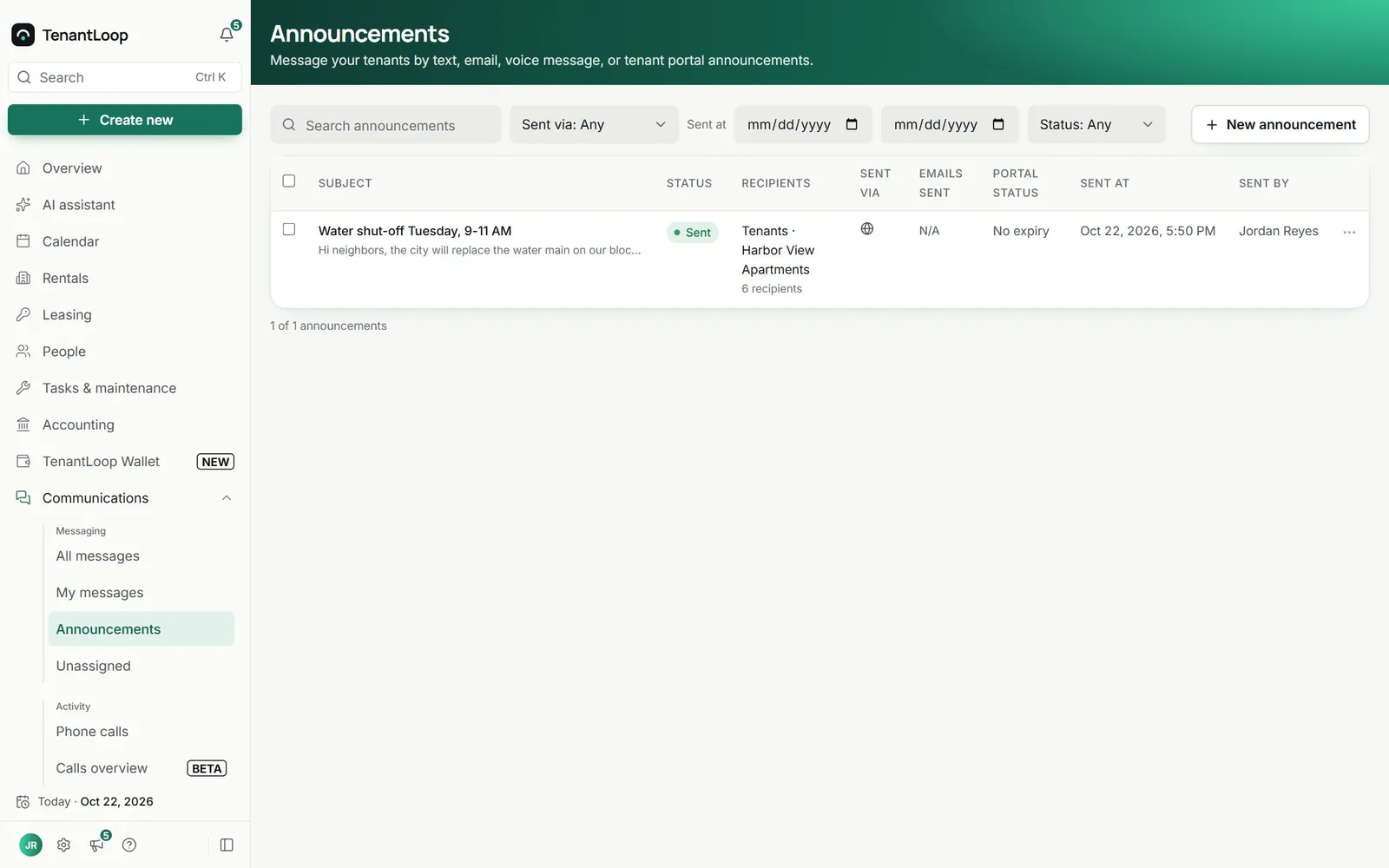
Messages that leave a trail. Sent, read and filed where you will look.
Know it went out
Each announcement shows its status, who it went to, how it was sent, how many emails left and whether it is still on the portal.
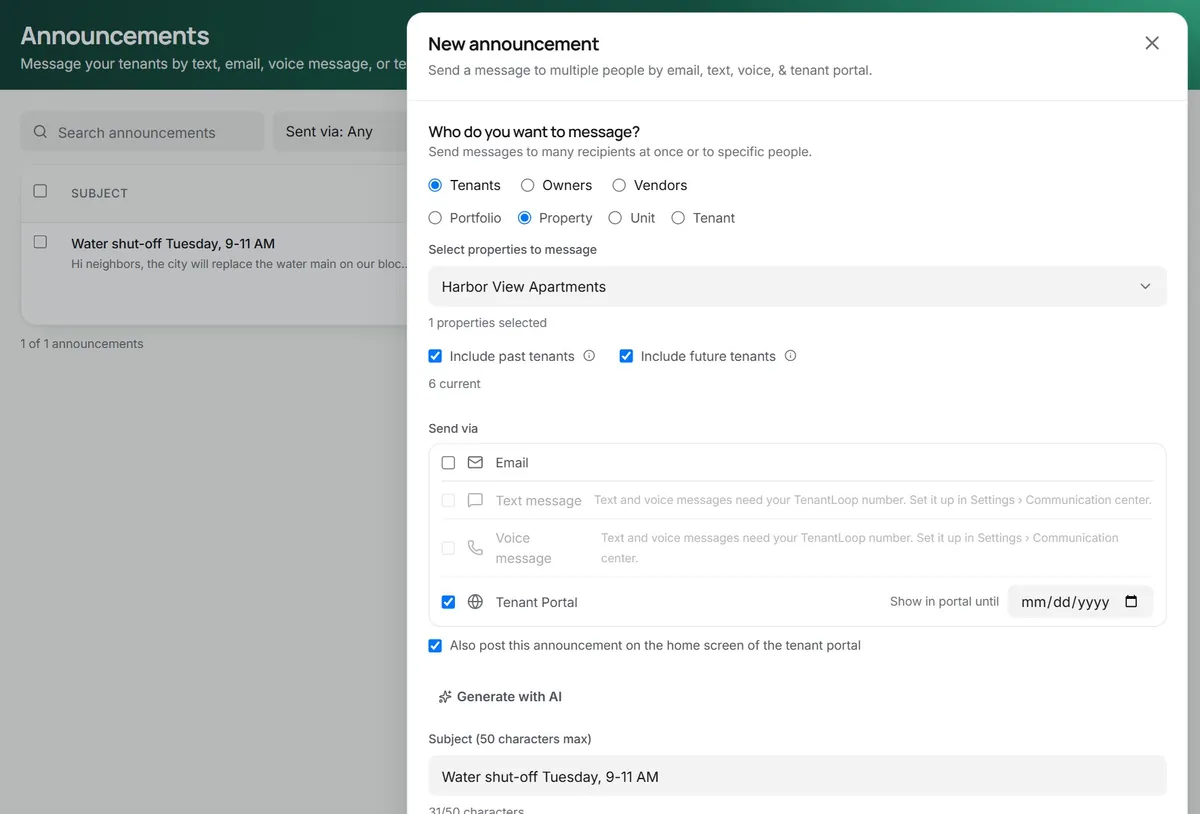
- Tenants, owners or vendors as recipients
- Scheduled or sent right away
- Portal display until the date you pick
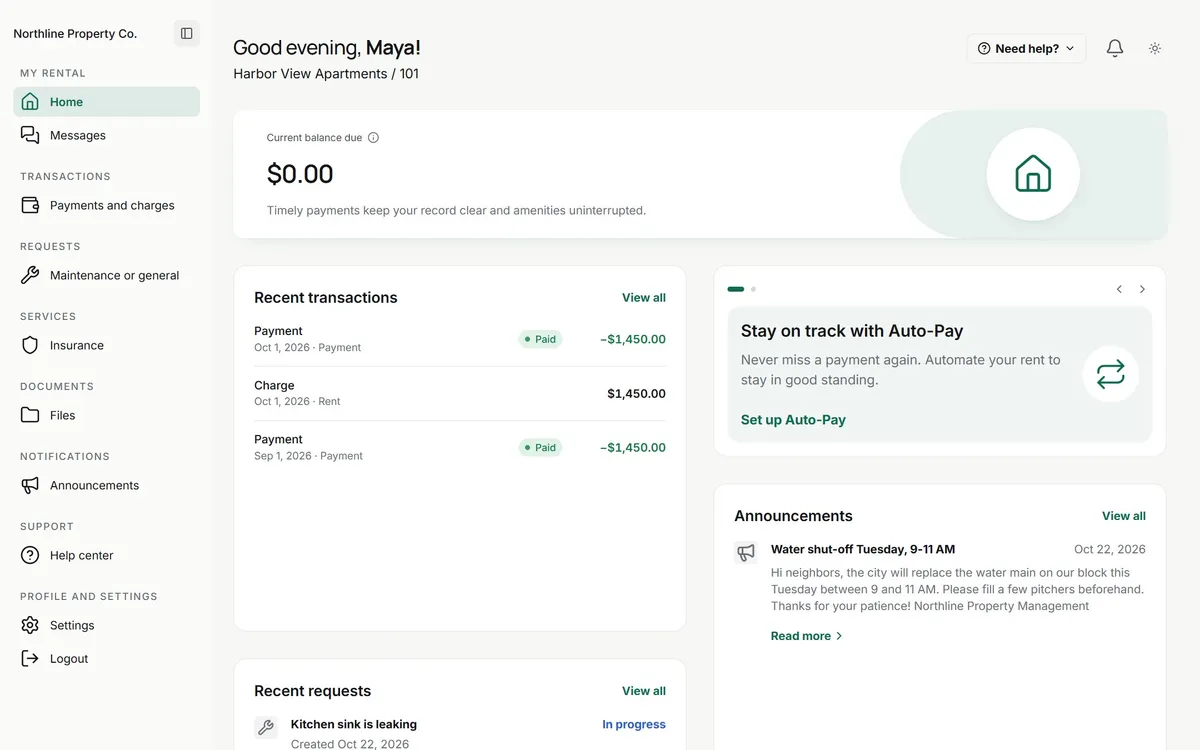
A real inbox in the tenant portal
Tenants open Messages in their portal to write to you, attach a file and see your answer. No new app, no personal phone numbers.
- Messages, requests and announcements side by side
- Files and photos on a message
- Works in any phone browser
tenant messages land in your inbox
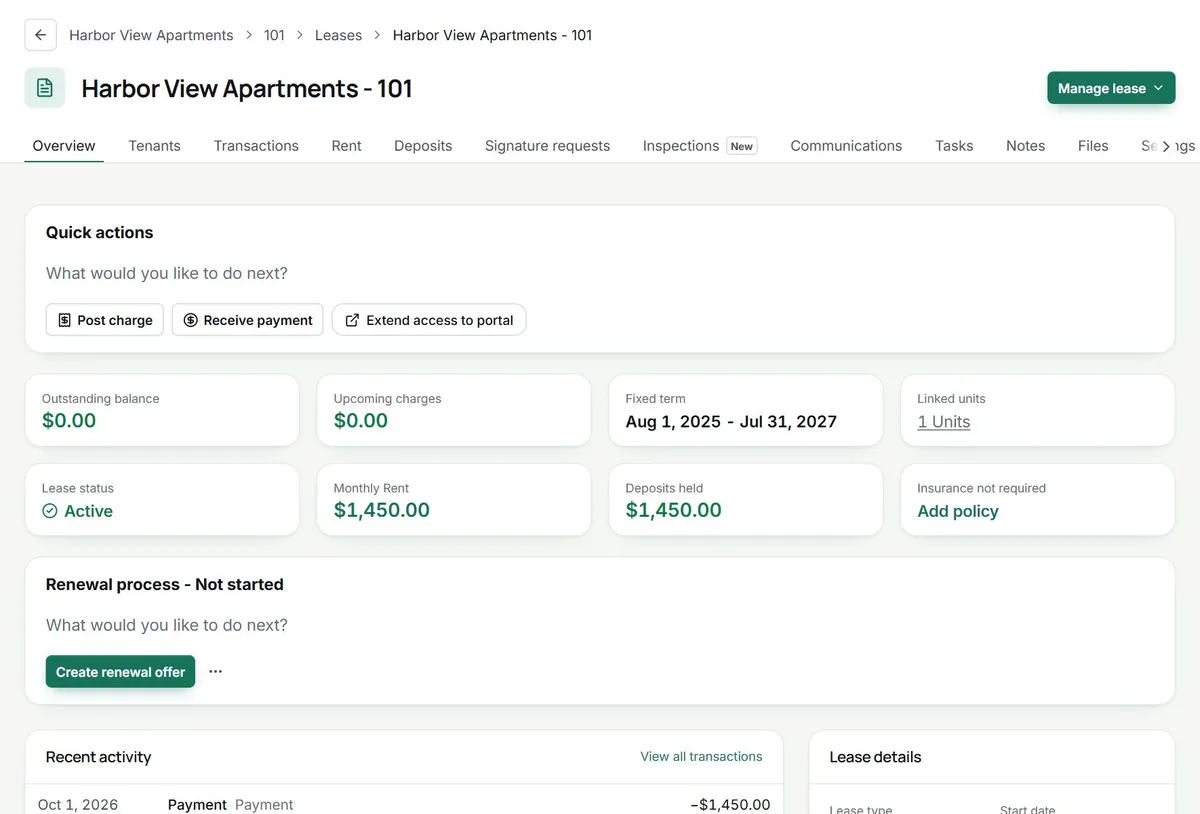
Every message on the record
Emails, portal messages and announcements are filed on the tenant and the lease, so whoever picks up the conversation sees what was already said.
- A Communications tab on every lease
- A company-wide communication log
- Notes for the calls you make yourself
Fewer (crossed out: group texts) from your personal phone.
texting arrives with your TenantLoop number
On day one.
What works today, and what is next.
- Announcements by email and on the portal
- Portal messages in one shared inbox
- Messages filed on the tenant and lease
- Texting and voice are coming soon
Works with
See integrationsAbout talking to tenants. Including what is not live yet.
Can I text my tenants from TenantLoop?
Not yet. Texting is coming soon, once your TenantLoop number is switched on. When it is, texts and replies will land in the same inbox as email and portal messages. Today you reach tenants by email, portal messages and announcements.
What do announcements cost to send?
Email and portal announcements are part of every plan. Text and voice announcements will draw on your plan’s communications credits (7/15/30 per unit a month, shared with texts) once texting is live.
Can an announcement come down from the portal on its own?
Yes. Pick a “Show in portal until” date and it leaves the tenant portal after that day. You can also post it on the portal home screen so nobody misses it.
Where do tenant replies and portal messages go?
Into Communications, with views for All messages, My messages and Unassigned, so each conversation has a person on it. Every message is also on the tenant’s and the lease’s record.
Can AI write the announcement for me?
On Pro and Premium, “Generate with AI” drafts the subject and body from a short prompt, and you edit it before it goes. On Premium the AI Receptionist also answers routine tenant emails and portal messages from your policies (texts coming soon).
Can I message owners and vendors too?
Yes. Announcements go to tenants, owners or vendors, and you can narrow tenants down by portfolio, property, unit or lease, including past and future tenants.
What would you announce this week?
14 days free, card up front, cancel in one click.