Rent day, minus the chasing.
Tenants pay by bank or card in their portal, autopay runs on its own, and each payment posts to the lease ledger. The money goes to your own Stripe account.
14 days free on any plan. Card up front, cancel in one click.
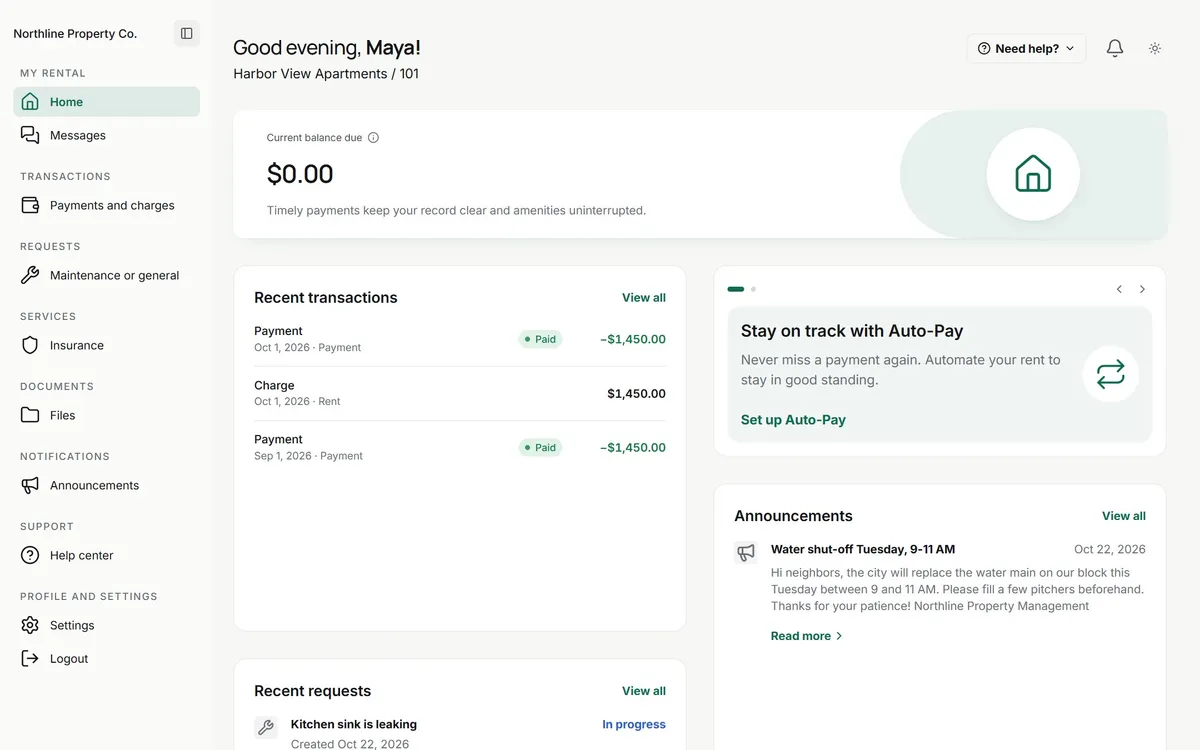
From the portal to the ledger. Three screens, typed once.
Tenants pay where they already sign in
The tenant portal shows what is due, every past charge and payment, and a pay button. Tenants save a bank account or card once and can turn on autopay.
- Bank account (ACH), credit or debit card
- Autopay requests sent from the lease
- Partial payments allowed or switched off
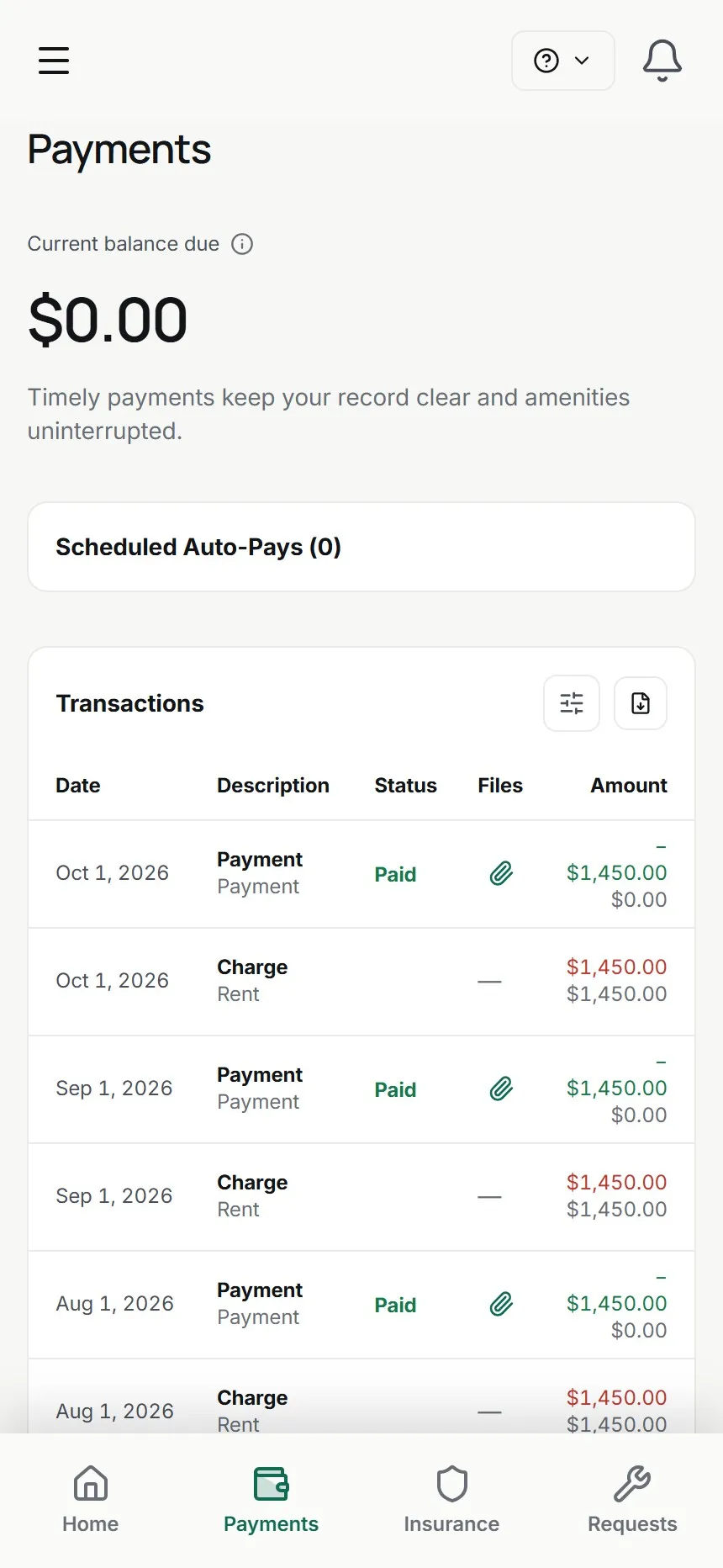
Each payment posts itself
A cleared payment lands on the lease ledger next to the charge it pays, with the running balance beside it, and in the books for that property. Nobody types it in twice.
- Recurring rent charges post on schedule
- Refunds, credits and one-off charges from the same screen
- Lease statements to export or send
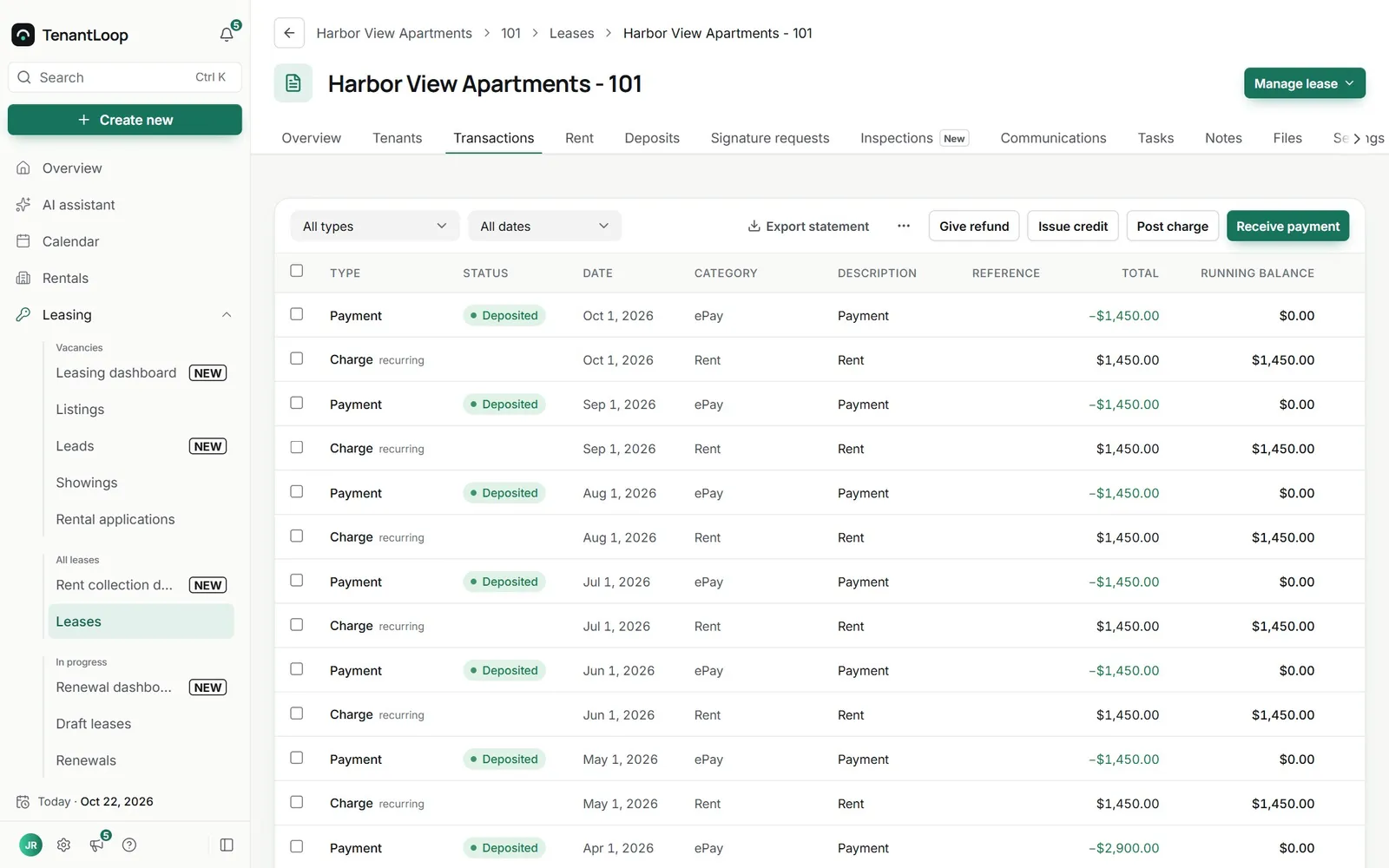
deposited, balance back to $0.00
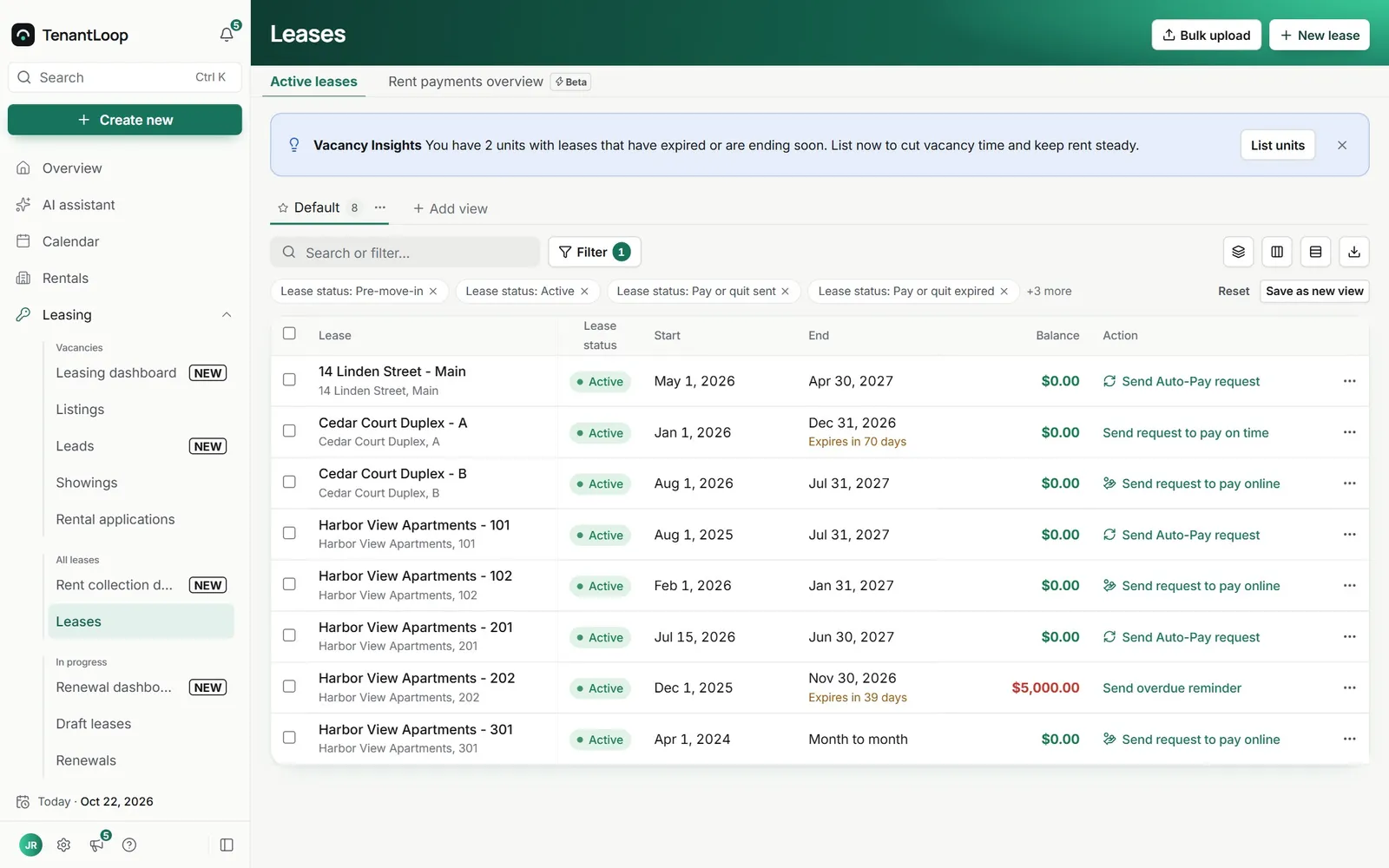
Reminders and late fees run on your rules
Reminders go out before rent is due and again on the day. If a balance stays open, overdue notices repeat on the schedule you choose and late fees post without anyone remembering to.
- Overdue notices once, daily, every 3 days or weekly
- Tenants who already paid can be skipped
- One reminder or a whole list in one click
What a payment costs, line by line.
Pick a payment method and see who pays what. These are the only TenantLoop fees on rent. Processing runs on your own Stripe account.
Rent, Unit 101 demo amounts
- Monthly rent
- $1,450.00
- Tenant fee
- $0.00
- Tenant pays
- $1,450.00
- TenantLoop fee from your payout
- $1.00
Bank payments cost the same flat fee whatever the rent.
3% only ever on credit cards, and never in CT, MA, PR
Ready once Stripe is connected.
No extra setup per tenant.
- Payouts to your bank. Payments are charged on your own Stripe account and paid out to the bank account you connect there.
- Pay links. Send a link for a balance so a tenant or a past resident can pay without signing in.
- Autopay at a glance. Send autopay requests from a lease and see which tenants have it switched on.
- Rent roll that is always current. Balances, deposits held and lease dates per unit, grouped by property, ready to export.
AI Assistant (Pro and Premium). Ask who still owes rent this month and it answers from your ledgers, then drafts the reminder for you to send. Meet the assistant
Rent questions, answered plainly.
Do my tenants need my bank details?
No. Tenants pay inside their portal, and the payment goes through Stripe to your own Stripe account, which pays out to your bank. Your account numbers are never shown to tenants, and TenantLoop never holds the money.
What do online payments cost?
- Bank (ACH): $1.00 per payment. You cover it by default, or pass it to the tenant as a convenience fee they see before paying.
- Credit card: a 3% surcharge paid by the tenant, plus $1.00 per payment from your payout.
- Debit or prepaid card: no surcharge, $1.00 per payment from your payout.
Stripe's own processing fee is charged on your Stripe account. There is no card surcharge in CT, MA, PR.
How long until the money is in my bank?
Card payments clear faster than bank payments, which usually take a few business days. After that, money follows the payout schedule on your Stripe account. The ledger shows each payment as soon as it is made, and its status as it clears.
Can tenants still pay by check or cash?
Yes. Record a check, cash or money order with Receive payment on the lease, and it posts to the ledger and the books like any online payment.
Can I stop partial payments?
Yes. Partial payments are a setting. When they are off, tenants pay the full balance, and the portal tells them to contact you if they need a different amount.
Do late fees post by themselves?
Yes, once you set them up. Late fees post on the schedule you define, the tenant gets a notice when one is charged, and you can reverse one from the ledger if you decide to waive it.
Next month's rent, already sorted.
14 days free, card up front, cancel in one click.