Repairs that move without you chasing.
A tenant reports a leak. The agent opens the work order, gets your vendors to quote, books the visit and drafts the bill, and stops for you wherever you said a person decides.
Premium plan. Try it on a test run first.
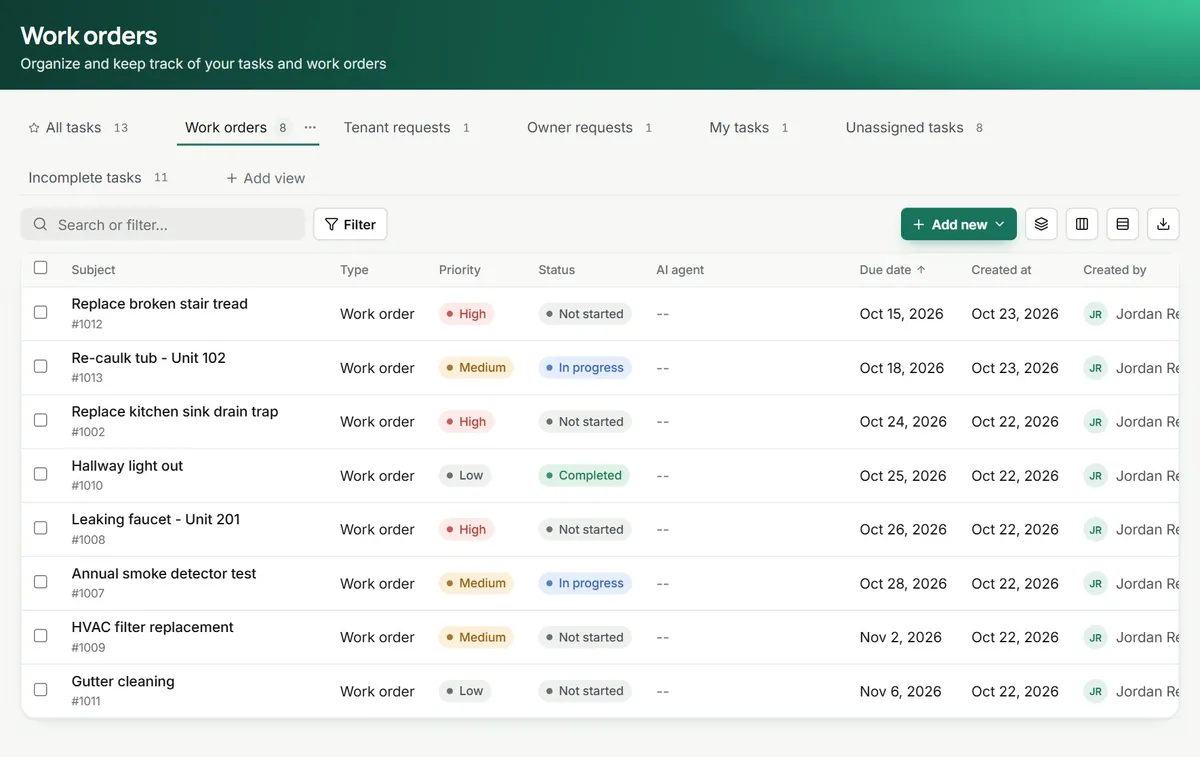
Work order #1002 · Harbor View 101
Kitchen sink leaking under the cabinet
Priority High · Type Plumbing · Entry approved by the tenant
Vendor offers
- Reliable Plumbing$180 · Thu 9 to 11
- Northside Pipe Co.$215 · Fri 1 to 3
- Ace DrainNo reply yet
The leak gets fixed. So does the chasing, the calendar and the bill.
It reads the problem before anyone drives out
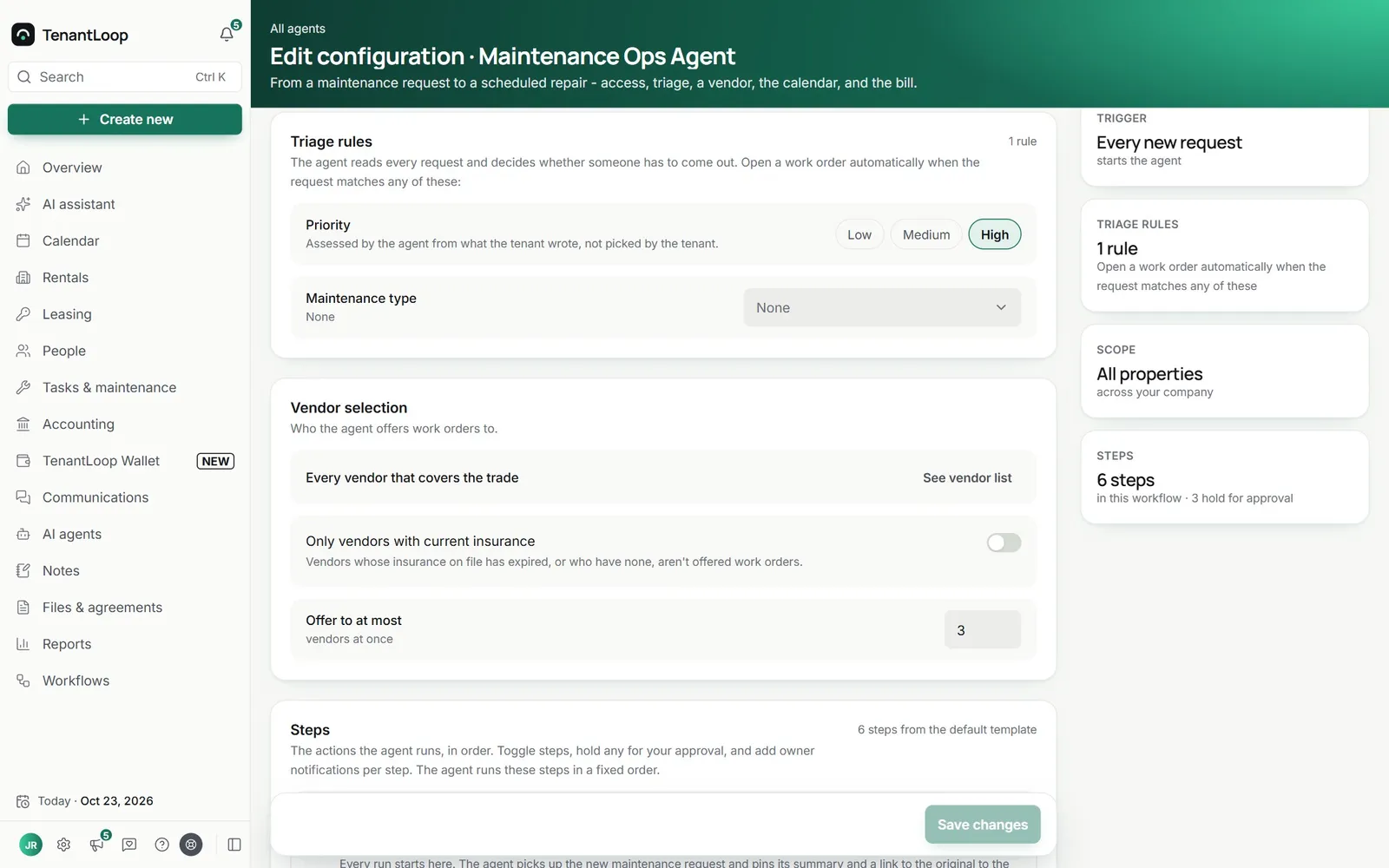
Every new request from the portal starts a run. The agent judges priority and maintenance type from what the tenant wrote, and if nobody needs to come out it makes an internal task instead of a work order.
The minute a request landsEntry is sorted with the tenant
If the tenant has not already allowed entry, the agent asks for permission and the time windows that suit them, follows up, and tells you if they refuse.
Before a vendor is offered the jobYour vendors quote at the same time
The job goes to the vendors you picked for that trade, all at once, by a magic link. You see each reply side by side and approve the match, so no vendor is booked behind your back.
While you are busy elsewhereThe paperwork closes itself
The visit goes on your calendar and the tenant is told. When the job is finished the vendor uploads the invoice, Quick Bill fills the bill and puts it next to the quote, and it posts only when you approve.
After the work is done
Walk through a run.
Click where the agent waits for you.
These are the six steps the agent runs in TenantLoop, in their real order and with their real names. Three of them hold for approval out of the box.
TriggerMaintenance request is submittedMaya in 101 reports a leak under the kitchen sink from the tenant portal.
- Request receivedPins the request summary and a link to it on the run.
- Tenant access approvaloptionalAsks Maya for permission to enter and the time windows that suit her.
- Open a work orderReads the request: priority high, type plumbing, needs a visit.Holds for youWaiting for your approval
- Vendor selectionOffers the job to your three insured plumbers at once. Two reply with a quote.Holds for youWaiting for your approval
- Maintenance eventBooks Thursday 9 to 11, tells Maya and the vendor, adds it to your calendar.
- Vendor billoptionalThe vendor uploads the invoice. Quick Bill fills the bill and compares it with the quote.Holds for youWaiting for your approval
Activity
- Run started from request #1042Maintenance Ops agent
- Maya allowed entry, weekdays 9 to 12Maintenance Ops agent
- Work order #1002 openedApproved by you
- Vendor picked: Reliable Plumbing, quote $180Approved by you
- Visit booked Thu 9:00 to 11:00Maintenance Ops agent
- Bill $180.00 posted, no variance vs the quoteApproved by you
Work order closed. The bill waits in Bills for payment, the way you pay every bill.
you click where a person signs off
You set how far it goes. The record shows how far it went.
To-do · Maintenance Ops agent
Vendor selection for work order #1002
2 of 3 plumbers replied. Reliable Plumbing quoted $180 and can come Thursday.
- You choose where a person signs offEvery step that can wait for approval has a switch. Opening a work order, picking a vendor, the bill, the offers and the lease draft wait for you out of the box.
- Every action is on the recordEach step, message and decision is written to the agent’s activity log with who did it: the agent, or the person who approved.
- Hard cases come to youSensitive messages, a tenant who refuses entry, a vendor who never replies or a question your policies do not cover all come to you with the thread attached.
- Stop any run, any timeEnd a run from its page and carry on by hand. A decision can be undone for a few seconds after you click.
- The agents run on Claude Opus 5.5 by Anthropic, inside your TenantLoop account.
Set it up once.
Then change any rule as you learn.
Comes with Premium: $4.00 a unit a month, $349 minimum. All four agents are included, with the AI Assistant.
The agents run on Claude Opus 5.5 by Anthropic, inside your TenantLoop account. See every plan
Fair questions. Answered with how it works.
Does it book a vendor without asking me?
Not unless you let it. Vendor selection holds for your approval out of the box, and so do Open a work order and Vendor bill. You can switch any of those holds off in Settings, step by step, once you trust how it works.
How does it pick which vendors get the job?
From your own vendor list. You choose the vendors (or every vendor that covers the trade), whether they need current insurance on file, and how many get the offer at once, up to five. Vendors with expired insurance are skipped when you ask for it.
Can it spend my owner’s money?
No. The agent never pays anyone. The vendor’s invoice becomes a bill on the right property, shown next to the quote so a difference stands out, and it waits for your approval before it posts. You pay it the way you pay every other bill.
What if it books the wrong thing?
Each step it took is in the run, with what it did and why. You can end the run at any point and carry on by hand, and a decision you click can be undone for a few seconds. Messages it already sent cannot be unsent, which is why the steps that commit to a vendor or a bill wait for you by default.
What happens when the tenant does not answer or says no to entry?
It follows up on its own for a while. If the tenant refuses or never answers, the run comes to you with the conversation attached, and you decide whether to continue without access.
Can I see what it would do before I switch it on?
Yes. A test run walks one of your real open requests through your setup and shows each step, including where it would stop for your approval. Nothing is sent during the test.
See a repair run end to end.
We walk you through a run on sample data, then you can try it on your own requests.
The agents run on Claude Opus 5.5 by Anthropic, inside your TenantLoop account.