Applications that end in a signed lease.
Applicants fill in one online form, pay your fee and upload documents. You review, decide and draft the lease without typing anything twice.
14 days free on any plan. Card up front, cancel in one click.
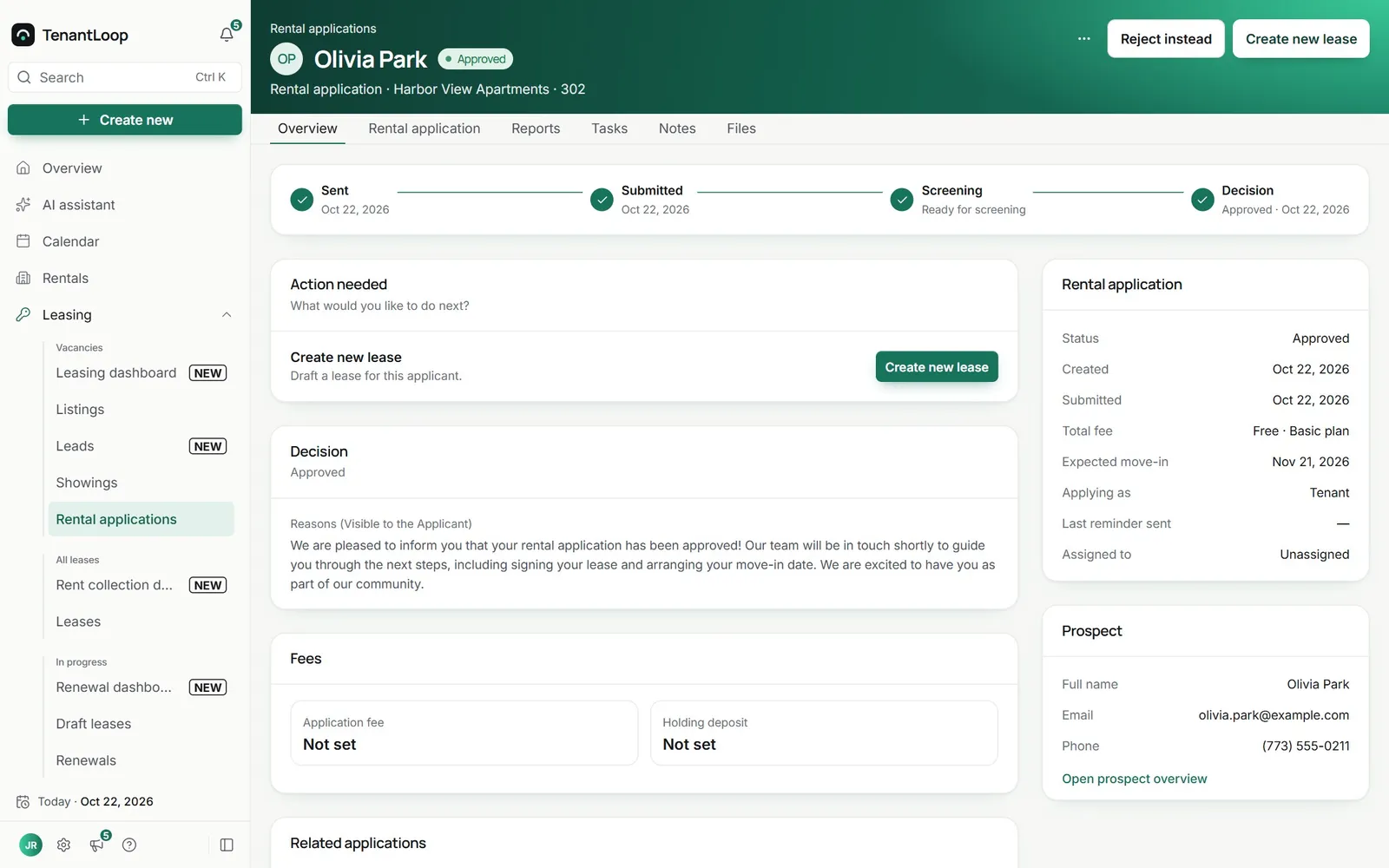
Apply, decide, sign. Three steps for the applicant, one screen for you.
Decide with the reasons on record
Approve, approve without a lease yet, or turn an application down. The reasons you write are what the applicant sees, and the decision stays on the application.
- An application fee and holding deposit per property
- Assign each application to a teammate
- Every application linked to its prospect
Nobody waits without you knowing
The applicant flow counts people at each step, from lead to signature, and how long they have been waiting there. A stuck application shows up before the applicant gives up.
- Leads, showings, applications and reviews
- Draft leases and signatures in the same view
- Waiting today, 1 to 2 days, up to 15 days and more
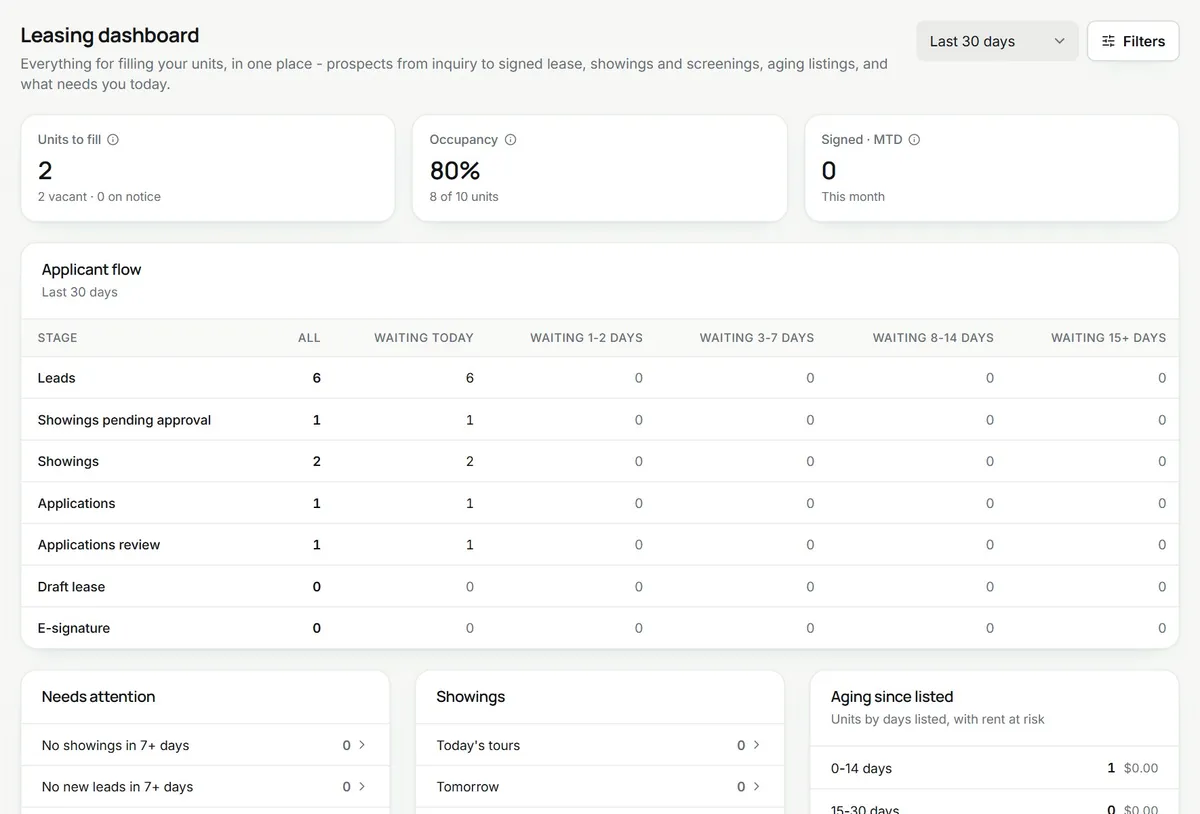
one application waiting for review
From yes to an active lease
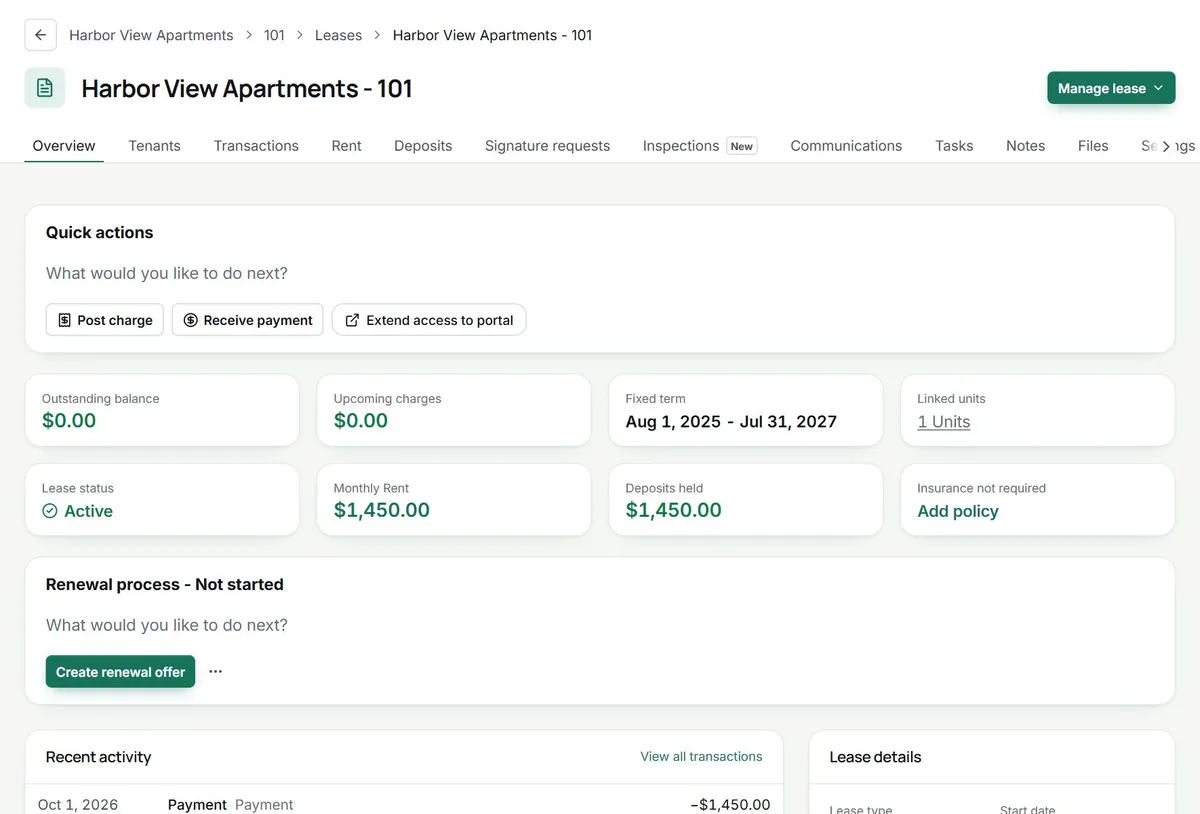
Approve and create the lease: the wizard is filled in from the application. Save it and the applicant gets one email to sign and add a payment method. You countersign and the lease is active.
- Lease wizard prefilled from the application
- Signature and payment set-up in one email
- Active the moment you countersign
The applicant (crossed out: prints, scans and emails) applies from a phone.
Ready for the next applicant.
Today.
- Applicant portal. Status, documents and the lease to sign, in one place for the applicant.
- Households. Co-applicants and occupants on one application.
- Holding fees. Reserve the unit while the lease is drawn up.
- Branded application page. Your logo and theme colour on the form.
Application questions, answered.
Can applicants stop halfway and come back?
Yes. Save for later keeps what they entered, and the same link reopens it. After submitting, applicants can still upload documents you asked for, and reminders for missing ones go out on their own.
Can I charge an application fee?
Yes. Set your own fee per property, or make applying free. Fees are paid online to your Stripe account. Some states and cities cap or ban application fees, so check the rules where your property is.
Can several people apply together?
Yes. Applicants add co-applicants and the rest of the household, and you review them on the same application.
Can I verify an applicant’s income?
Yes. Applicants upload pay stubs, bank statements or other proof on the application, and if they have not finished, a reminder goes out every two days, up to three times. Connecting a bank account or payroll provider so the income is read for you is coming soon.
Can I check where they work?
Yes. Send the employer a secure form by email from the application. It works once and expires after 14 days, reminders can follow, and the answers (job, start date, monthly income) sit next to what the applicant wrote, marked as matching or different.
Is screening part of the application?
Not yet. Credit, eviction and background reports are coming soon. Until then you can ask for documents like pay stubs on the application.
Do I need a Dropbox Sign account for the lease?
No. Leases are sent and signed through TenantLoop. Signing runs on Dropbox Sign behind the scenes.
Can the application page carry my branding?
Yes. Add your logo, a theme colour and a header image, set once for the whole company.
Approve it today, sign it tonight.
14 days free, card up front, cancel in one click.