Every repair, from leak to paid bill.
Tenant requests, work orders, vendors and the final invoice live on one list, so you can see what is broken, who is on it and what it cost.
14 days free on any plan. Card up front, cancel in one click.
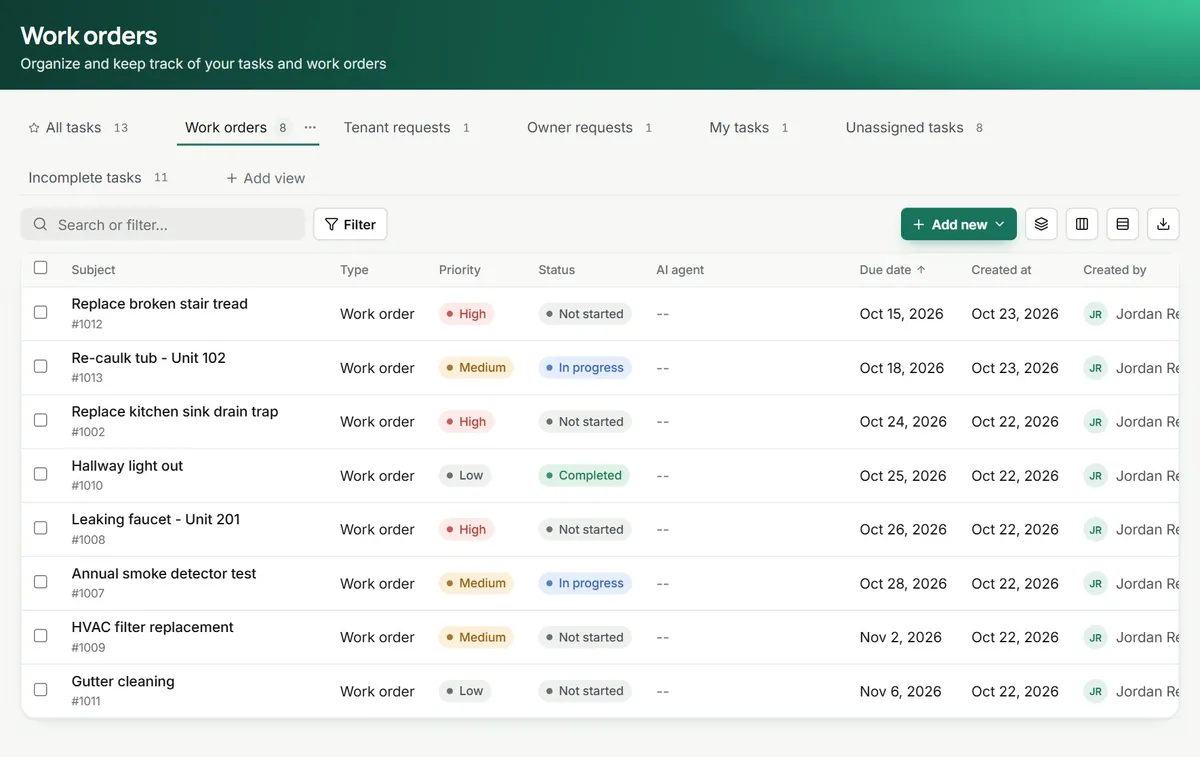
Fewer calls about the same leak. Three screens your team will live in.
Requests that arrive ready to act on
Tenants report a problem from the portal with a category, a description and photos. It lands next to your own tasks and work orders, so nothing hides in a voicemail.
- Tenant, owner and internal requests in one list
- Saved views like My tasks and Unassigned
- Priority, status and due date on every row
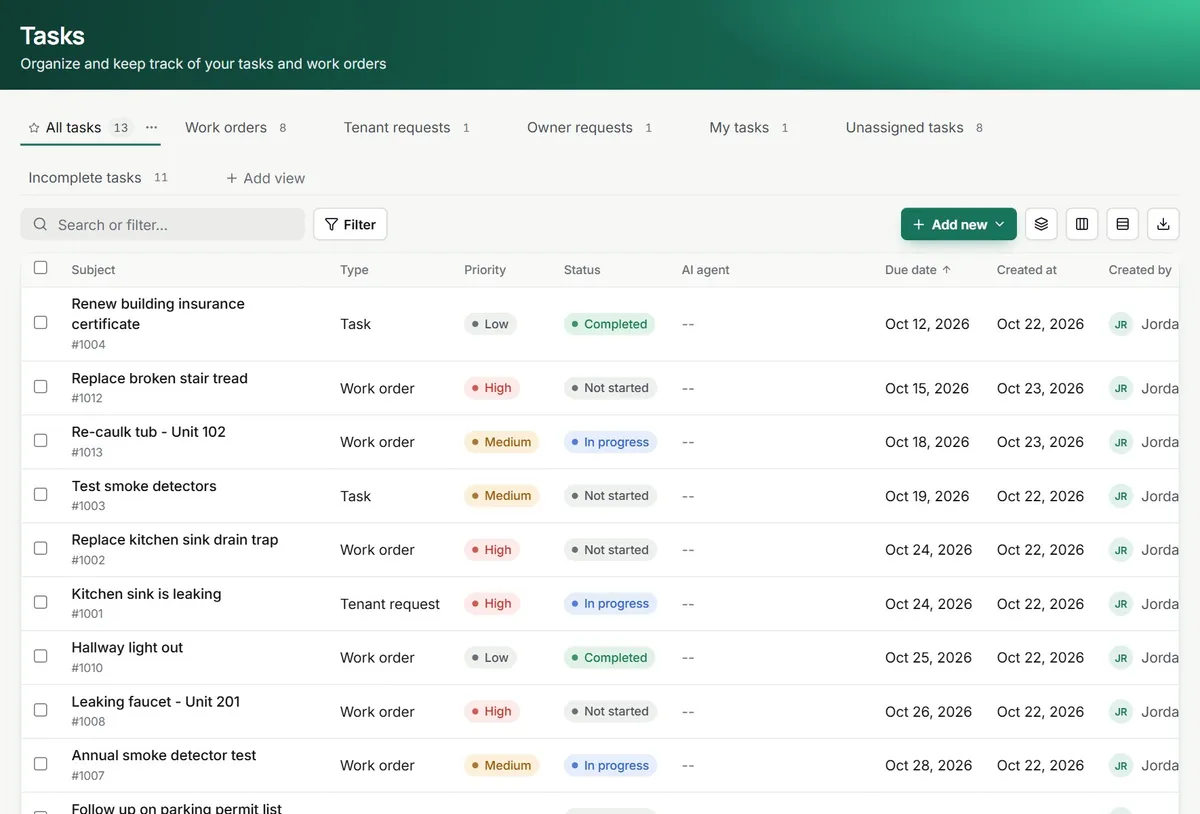
sent from the tenant portal
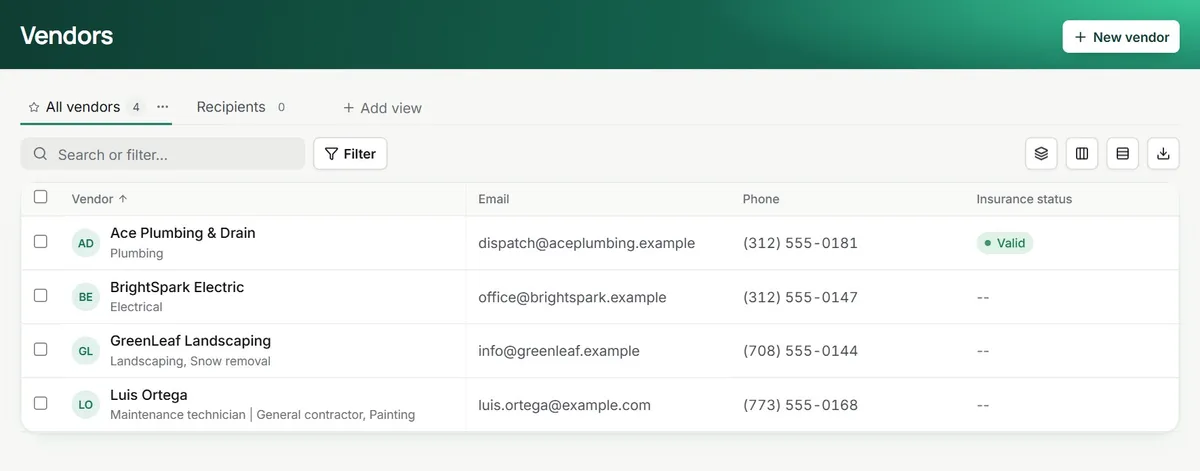
Offer the job, let the vendor answer
Pick one or more vendors and send the offer. Each vendor gets a private link where they accept, quote, confirm a visit time and upload the invoice.
- Accept or decline, with a quote and availability
- Entry permission and time windows on the job
- Insurance status and trade on every vendor
Follow-ups that send themselves
Workflows start from a date or an event, like a task being created or its status changing, then email the tenant, create the next task or give your team a heads-up. You set it up once.
- Starts on Task created or Task status changed
- Emails, tasks, notes and delays as steps
- Every run logged step by step
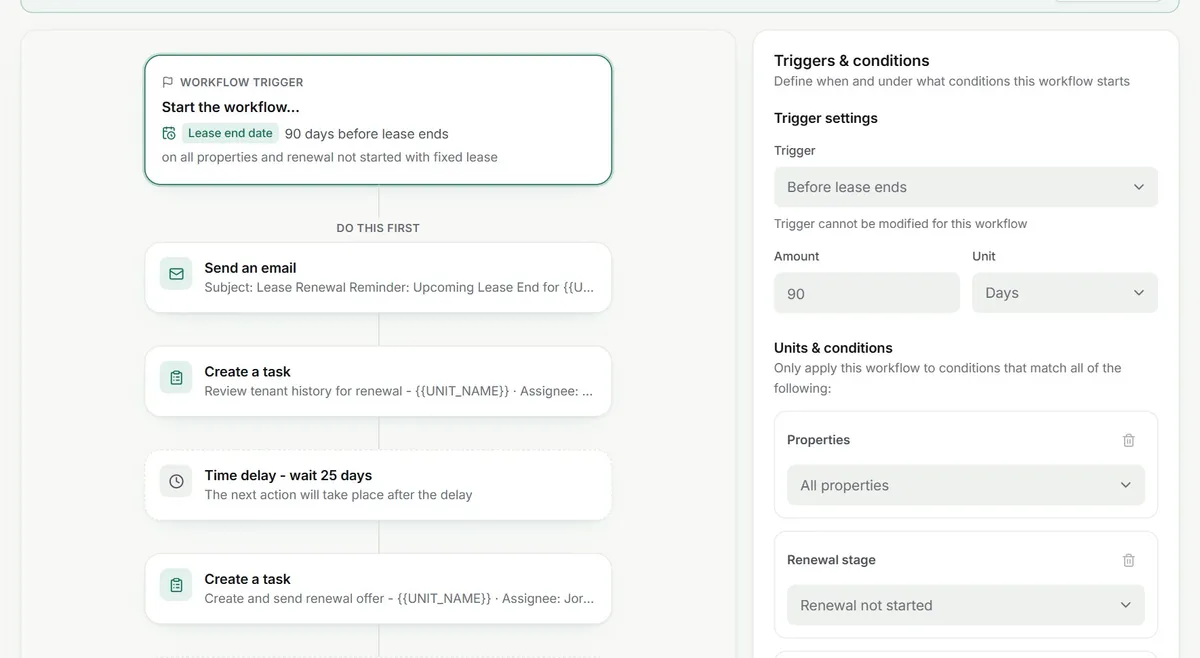
this one starts 90 days before a lease ends
Your (crossed out: sticky notes) and (crossed out: vendor texts) become one record per repair.
the tenant sees the status change in their portal too
On day one.
What maintenance looks like once you sign in.
- Tenant requests with photos from the portal
- Work orders with priority, due date and assignee
- Vendor job links to accept, quote, visit and invoice
- Recurring work orders and a maintenance dashboard
Works with
See integrationsBefore you hand it the leaks. What managers ask.
Do my vendors have to sign up for anything?
No. When you offer a job, the vendor gets an email with a private link. From that page they accept or decline, add a quote and their availability, confirm the visit time and upload the invoice. No login, no app to install.
What if a tenant reports something at midnight?
The request lands in your Tenant requests list with the tenant’s photos and notes, whether you are awake or not. On Premium, the Maintenance Ops agent can pick it up and stops at each step you set to need your approval.
Can I keep track of who is allowed into the unit?
Yes. Each work order records whether the tenant gave permission to enter and the dates and time windows that work for them, so the vendor knows before they knock.
How do repeating jobs like filter changes work?
Make it a recurring work order. You set how often it repeats, and each new one appears on the list with its own due date and assignee.
How does the vendor’s invoice turn into a bill?
The vendor uploads it from their job link and it is attached to the work order. You create the bill from the work order, and the list shows which jobs are billed and which are not. Paying the vendor is still your click.
Can owners ask for work and approve it?
Owners send requests from the owner portal, and your team turns them into work orders. The work orders list has an “Approved by owner” column for jobs that need their yes.
Can I open a work order that is not tied to a unit?
Yes. A work order can belong to a whole property, so lobbies, roofs and parking lots get the same tracking as a unit.
Which repair is still on a sticky note?
14 days free, card up front, cancel in one click.