Move-out day, settled by the photos.
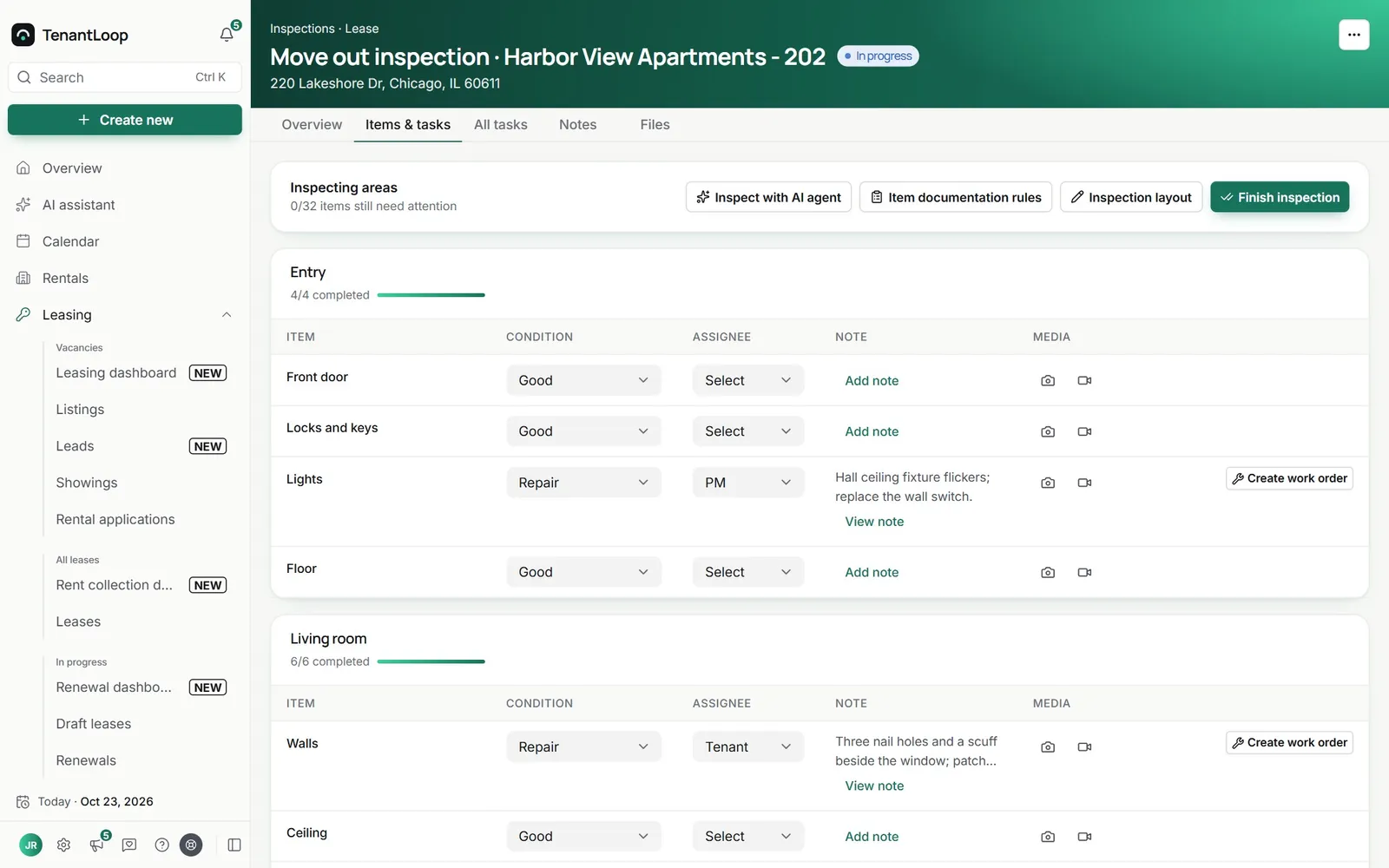
Walk each room, mark every item, attach photos and note who is responsible. The move-out lines up against the move-in, and anything broken becomes a work order.
14 days free on any plan. Card up front, cancel in one click.
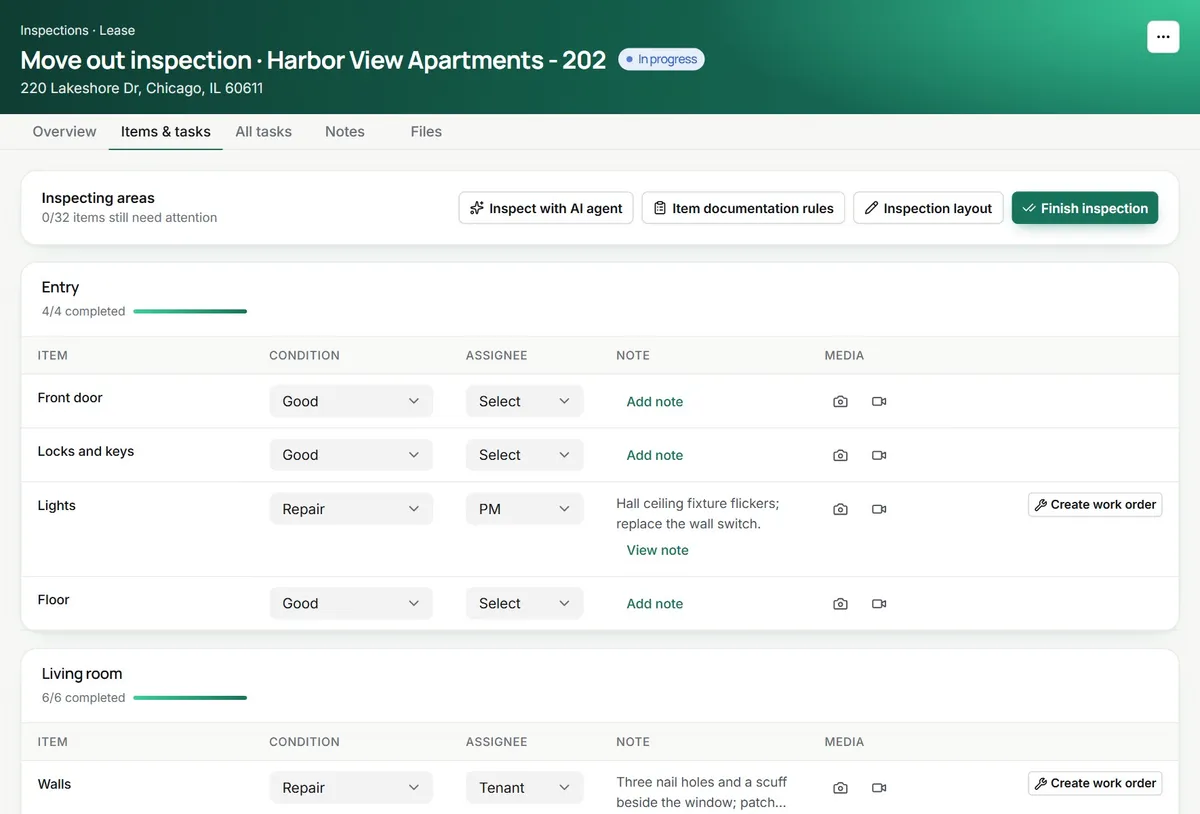
Room by room, item by item. Then a report nobody argues with.
Mark it once, with proof
On a phone, the camera view walks you item by item: shoot a few angles or a video, pick Good, Repair, Replace or Missing, say who is responsible and swipe on. Up to 20 photos and 5 videos an item, and it keeps going without a signal.
- Move-in, move-out and routine inspections
- Templates, quick start or the last inspection
- Saved on the phone offline, synced later
Say what you see, approve what it writes
On Pro and Premium, hold the mic and describe the item, and the condition and note fill themselves. Run a damage check on the photos or video against move-in, or open Inspect with AI agent to describe a whole room. You approve what the agent proposes.
- Hold to describe: “sink leaking, tenant caused it”
- AI damage check compared with the move-in record
- Agent proposals wait for your approval
every proposal waits for your OK
From finding to fix
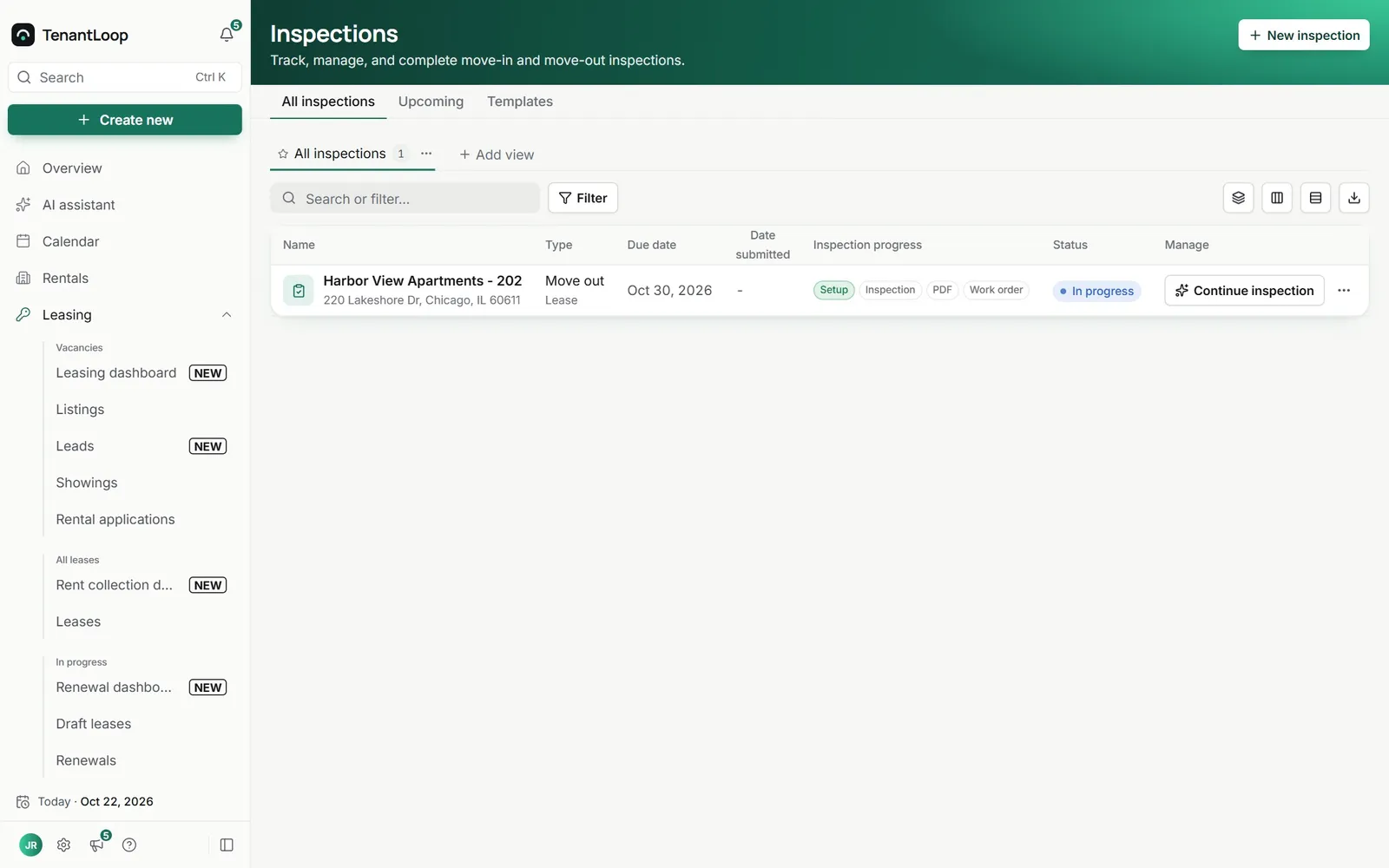
Every inspection shows its progress from setup to inspection, PDF and work orders. One click turns every item marked Repair, Replace or Missing into its own work order, photos attached.
- Move-out compared with move-in, item by item
- A PDF report with photos, markup and notes
- Upcoming move-in and move-out inspections listed
No more (crossed out: he said, she said) about the carpet.
the move-in photo is right next to the move-out one
On day one.
Ready for your next move-out.
- Move-in, move-out and routine inspections
- A phone camera view that works offline
- PDF report and move-in comparison
- Work orders for every failed item in one click
Works with
See integrationsBefore the next walkthrough. What managers ask.
Can I do the inspection on my phone?
Yes. Open it in your phone’s browser and switch to the camera view: take a few angles of each item, record a short video, swipe to the next item. If the signal drops in a basement, photos and notes are saved on the phone and sync when you are back online. The AI features need a connection.
Do I have to build the room list every time?
No. Start from one of your templates, a quick-start layout based on beds and baths, or the unit’s previous inspection, then add or remove rooms and items as you go.
How do I prove what changed between move-in and move-out?
A move-out inspection compares each item with the move-in record, showing what got worse, what is new and what was resolved. The PDF report carries the photos and notes, item by item.
Who pays for the damage?
You decide per item: mark the tenant, your company or the owner as responsible. The report and any work order carry that note, so the deposit conversation has the facts behind it.
What does the AI do in an inspection?
On Pro and Premium, hold the mic and say what you see, and it fills the item’s condition and note. A damage check reads the item’s photos or video, compares them with the move-in record and suggests a condition you can use or ignore. In the Inspect with AI agent chat you can describe a whole room; nothing it proposes changes the inspection until you approve it.
Can I mark up a photo?
Yes. Draw on it with a pen, arrows, circles, boxes, text or stamps. On Pro and Premium you can also type what to point out, such as “the crack by the window”, and the AI draws it. The marked-up photo is saved as a new version next to the original.
What happens to the items that need fixing?
One click creates a work order for every item marked Repair, Replace or Missing that does not have one yet, with the item’s photos attached and linked back to the inspection.
When is your next move-out?
14 days free, card up front, cancel in one click.