The work between rent days, handled.
Repairs, owner questions, inspections and files sit on the same records as your rent and books, so the dashboard tells you what needs doing next.
14 days free on any plan. Card up front, cancel in one click.
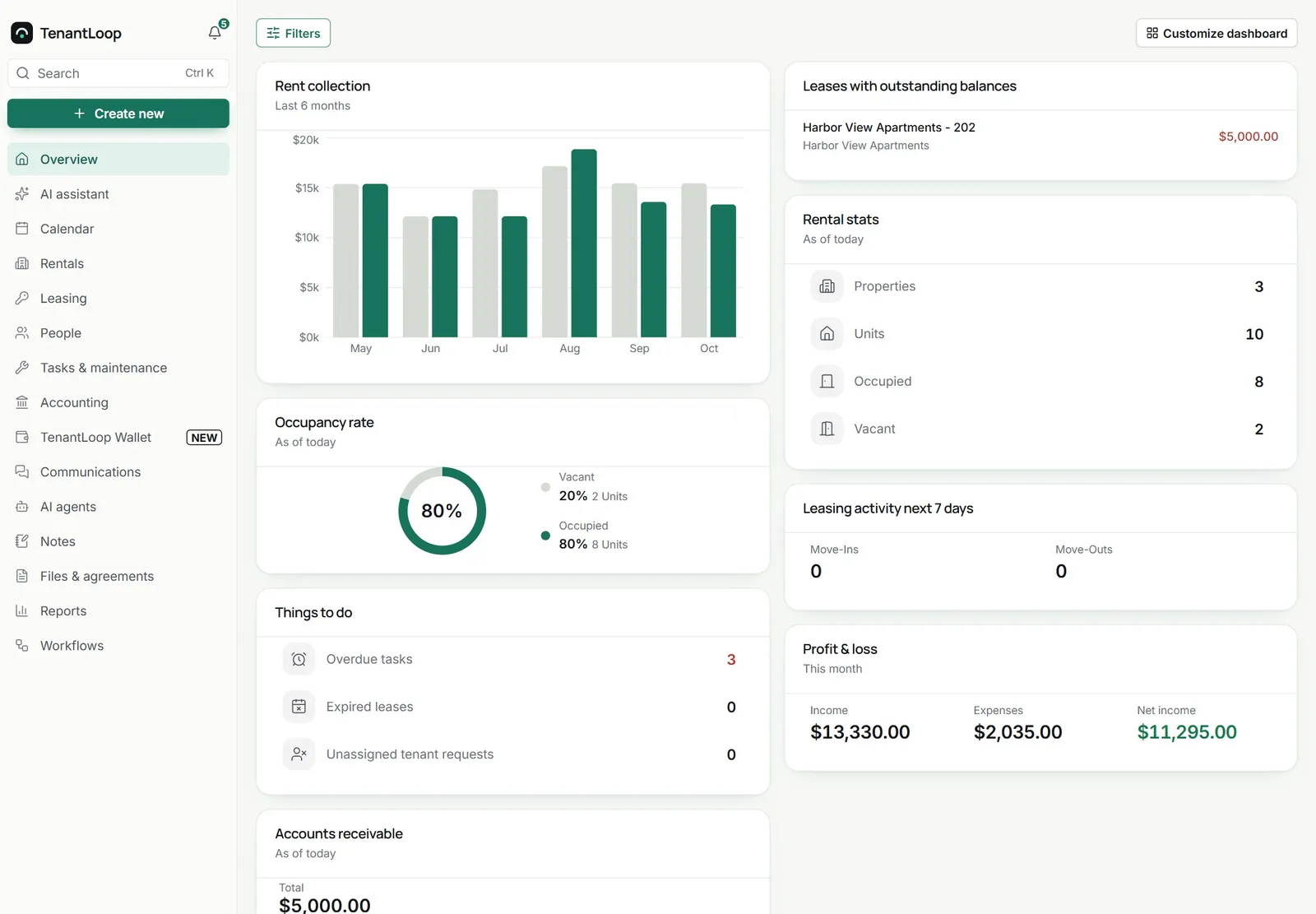
One place for the jobs in between. Repairs, owners and move-outs.
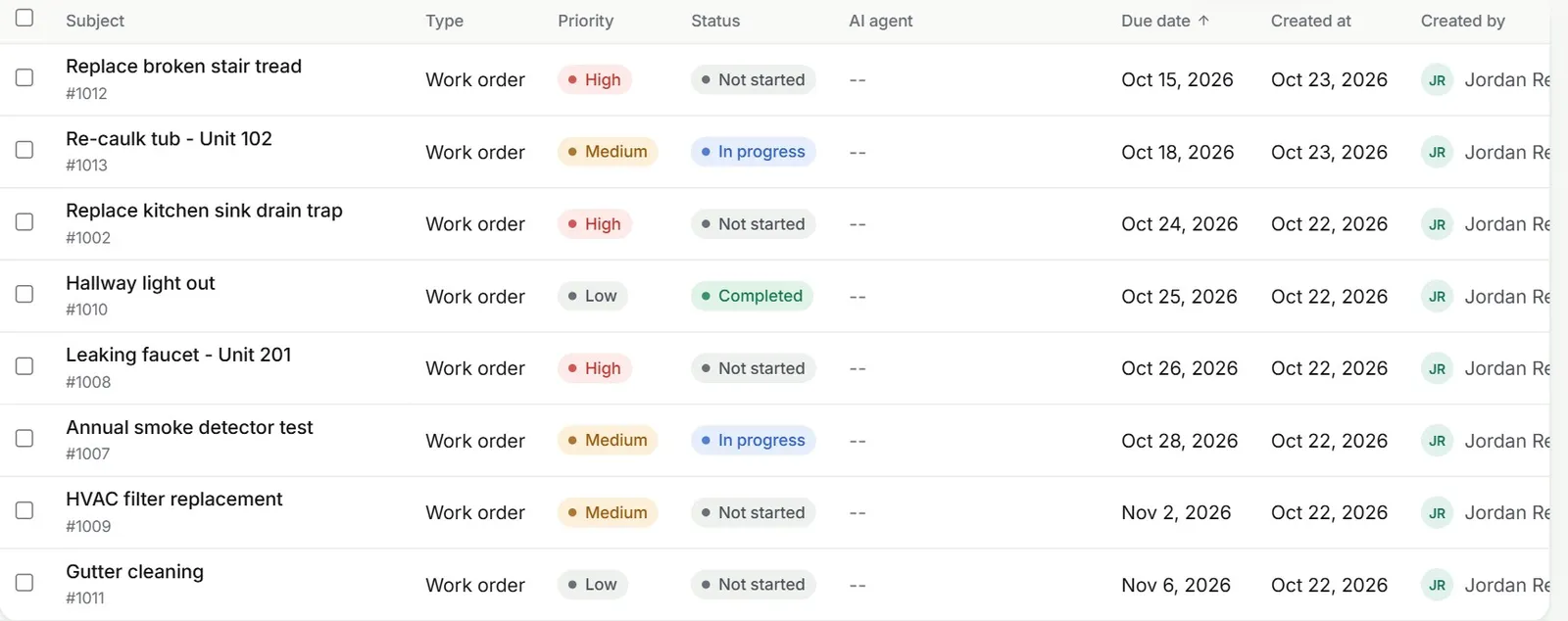
Repairs with a clear owner and a date
Tenant requests, owner requests, internal tasks and work orders share one list with a priority, a status and a due date, so the team works from the same picture.
- Vendor offers by private link, no vendor login
- Recurring work orders for routine jobs
- A bill created from the finished job
Owners who can check for themselves
Each owner signs in to their own portal to see profit and loss, vacancies, transactions, the reports you share and their files. They can also send you a request from there.
- Only their own properties and reports
- Statements by email or download
- Your logo and colours on the portal
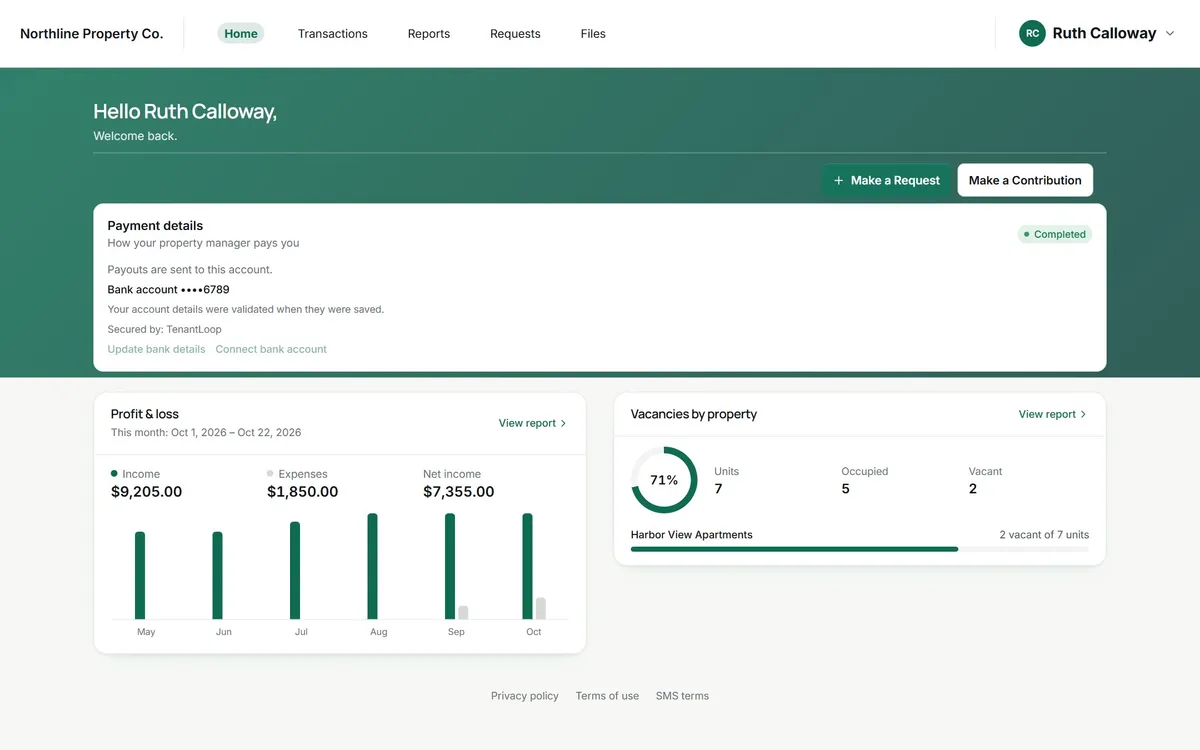
net income for this month
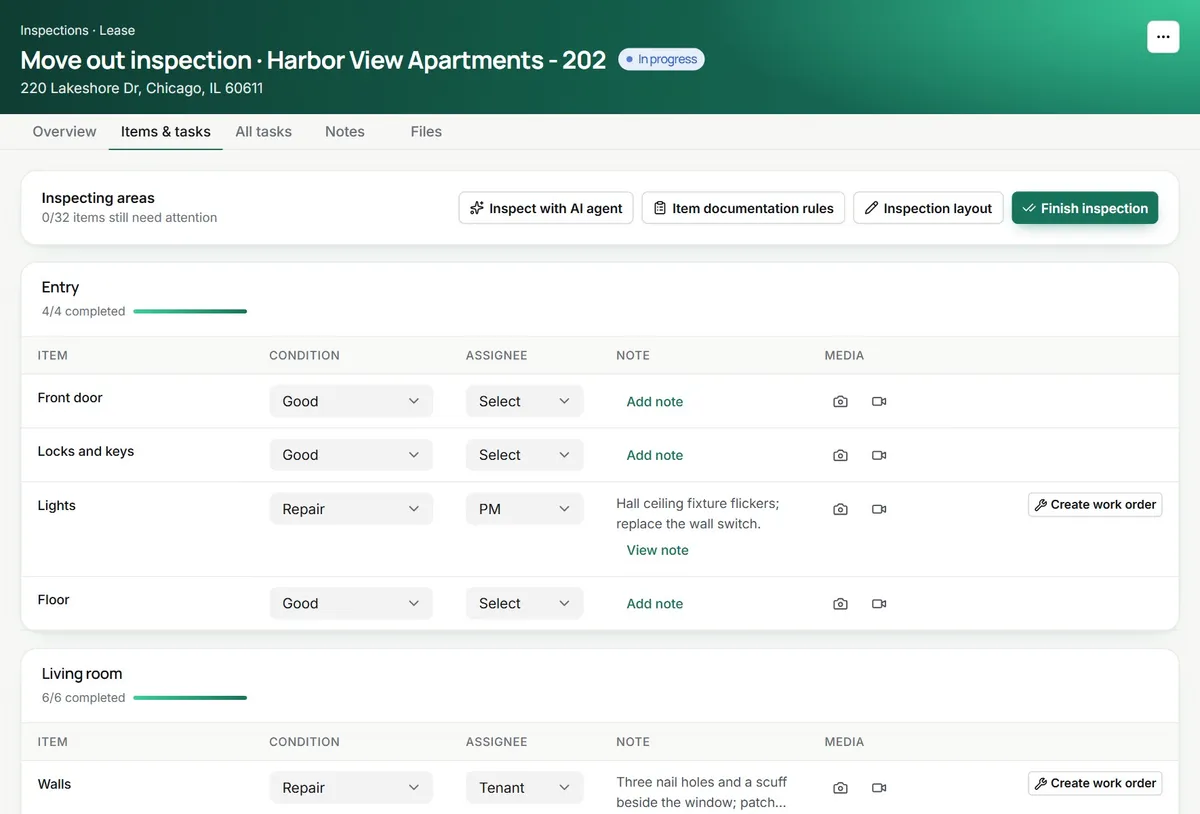
Inspections that end in work orders
Walk a unit room by room, mark each item good, repair, replace or missing, add photos and say who is responsible. Anything that needs fixing becomes a work order in one click.
- Move-in, move-out and routine inspections
- Move-out compared with move-in, item by item
- A PDF report to share
Fewer (crossed out: group chats) and (crossed out: shared drives) to check before lunch.
tasks, files and requests live on the record they belong to
On day one.
The operations kit on every plan.
- Tasks, requests and work orders in one list
- Owner portal with shared reports and files
- Move-in, move-out and routine inspections
- File storage on every property, unit and lease
Works with
See integrationsBefore you switch. The operations questions.
What counts as operations in TenantLoop?
The day-to-day work around the rent: tasks, tenant and owner requests, work orders and vendors, inspections, files, the owner portal and the calendar. It sits in the same account as your accounting and leasing, so a repair, its bill and the owner’s statement point at the same records.
What will this cost me?
Every plan has the full operations toolkit. Starter is $1.50 per unit a month with a $59 monthly minimum; Pro and Premium add AI. Paying yearly saves 18%. See pricing for the calculator.
How long until my team is comfortable in it?
Most of it is lists and records your team already knows from spreadsheets. Self-serve onboarding is free and you can import properties, units, tenants and leases from a spreadsheet. If you would rather have a specialist set it up with you, guided onboarding is a one-time $149.
Will it handle commercial units or a mixed portfolio?
Yes. Each property is residential or commercial, with its own type (single-family, multi-family, office, retail and more). You can group them into portfolios and give each team member access to only the properties they look after.
Can owners see what is happening without calling me?
Yes. The owner portal shows their transactions, the reports you choose to share, files and the requests they have sent you.
Who on my team can see what?
Roles decide what each person can view or change, and property access limits which properties they see at all. Two-factor sign-in is available for every user.
What would you like off your plate first?
14 days free, card up front, cancel in one click.