Every dollar in its right account.
Rent, deposits, bills and owner money land in a chart of accounts made for rentals. You check the work instead of doing it.
14 days free on any plan. Card up front, cancel in one click.
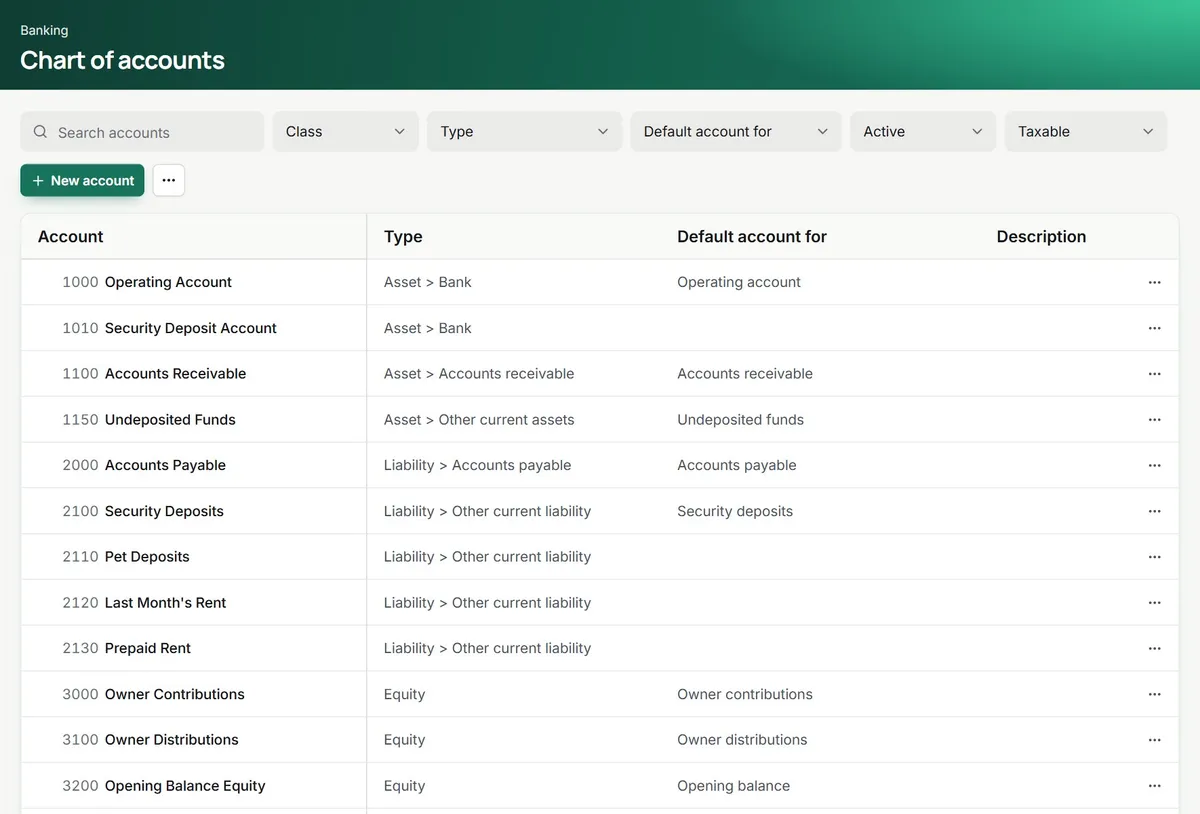
The ledger fills itself. You handle the exceptions.
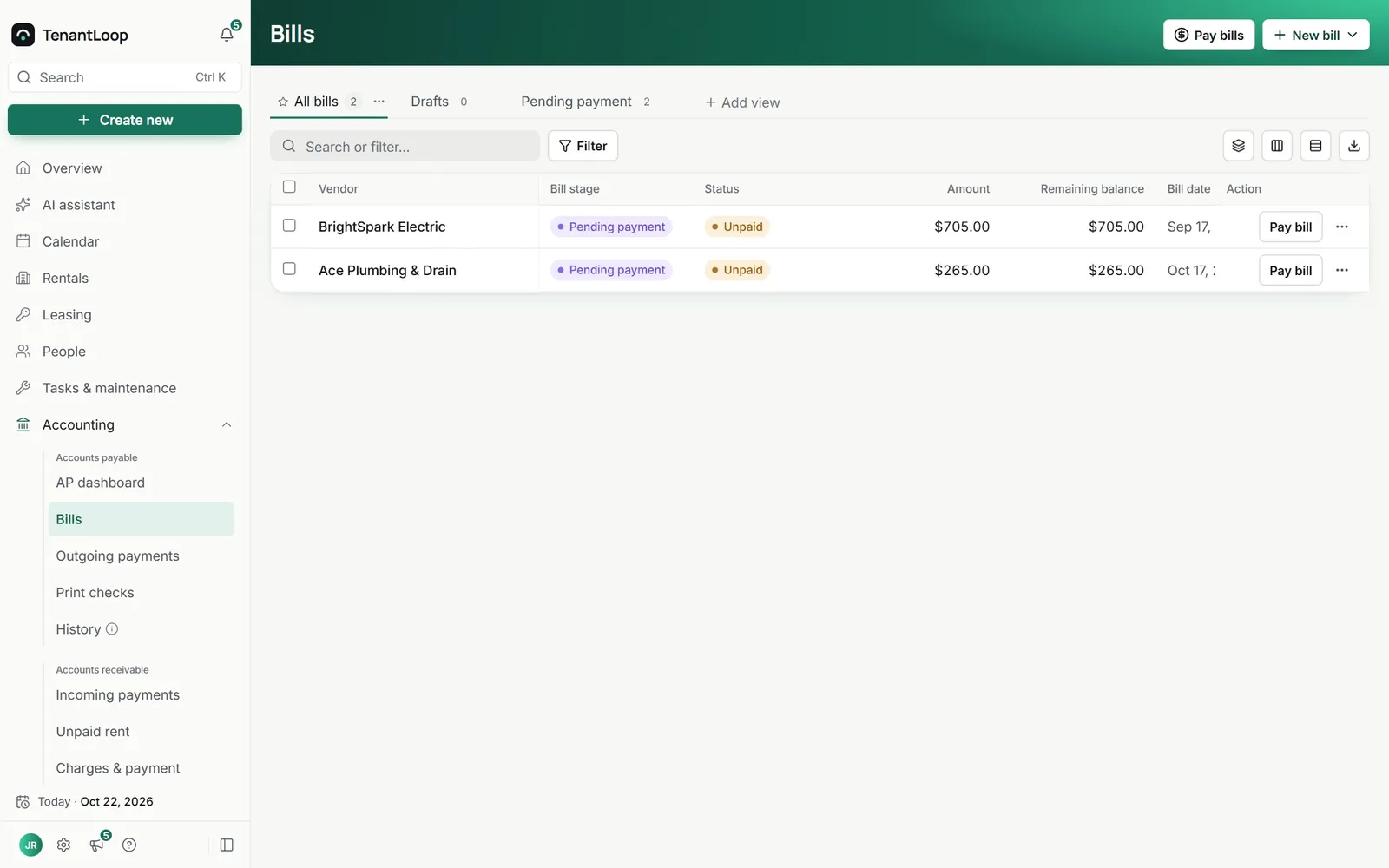
Bills in, payments out
Enter a bill or let the assistant draft it from the vendor invoice. Bills wait in their stage until someone pays them, one at a time or as a batch.
- Bill stages before anything is paid
- Pay by check, or record a payment made elsewhere
- Split a bill across properties and accounts
Journal entries for the rest
Most entries post themselves from rent, bills and transfers. For everything else there are journal entries, one at a time, on a schedule or imported from a file.
- Recurring entries on a schedule
- Import entries from a CSV file
- Opening balances to start from your last close
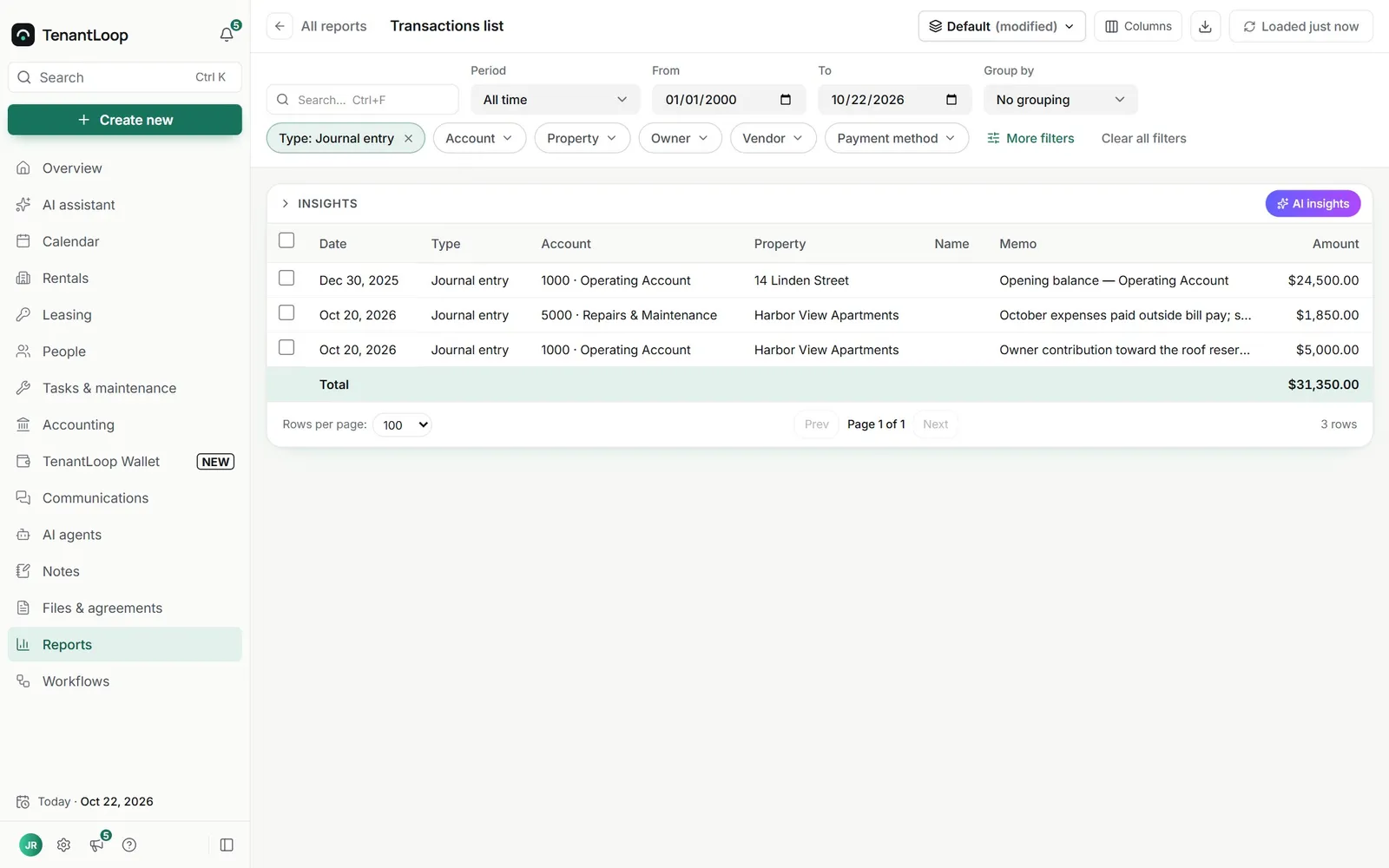
opening balance, entered once
Reports from the same ledger
Nothing is exported to build a report. Pick the period, the properties and the grouping, and compare against an earlier period if you like.
- Group by month, quarter, property or unit
- Cash or accrual on every financial report
- Budget against actuals by property
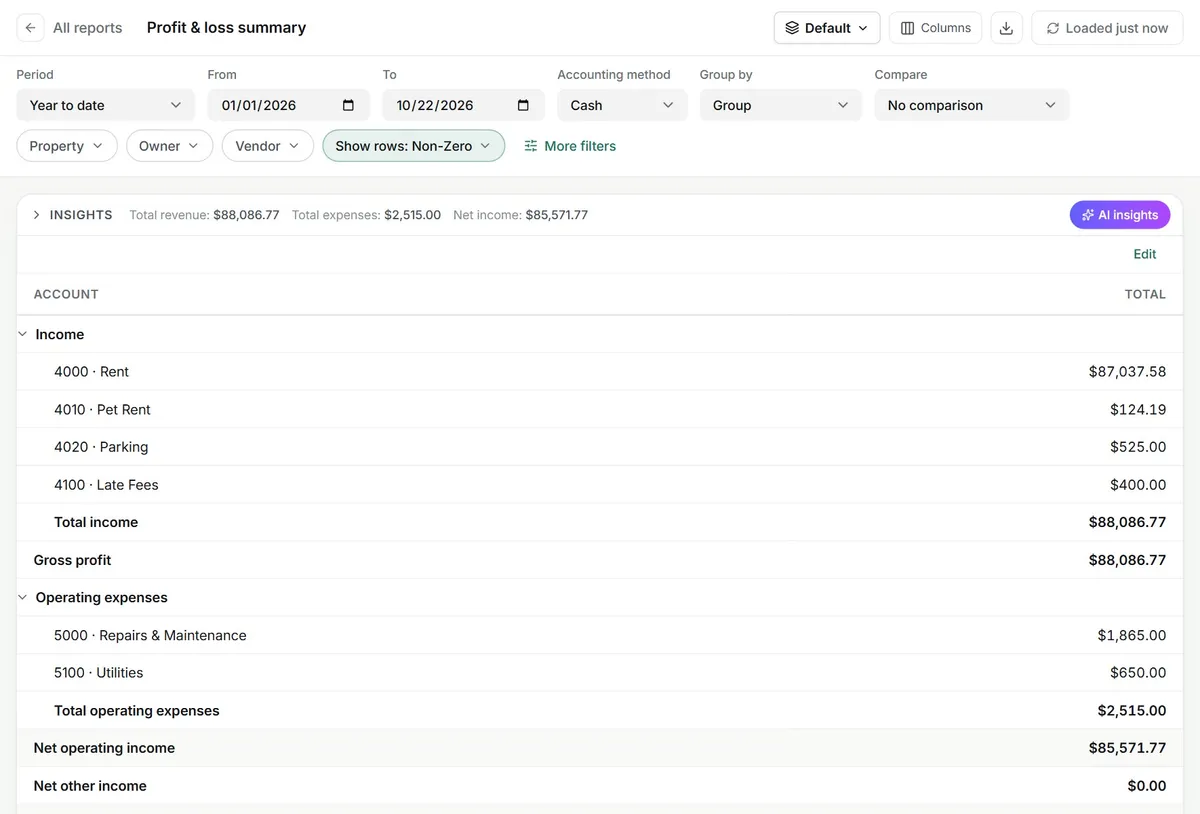
Security deposits booked as (crossed out: income) a liability, the way your accountant expects.
On the books from day one.
Nothing to switch on.
- Budgets by property. Set a yearly budget and see it against actuals.
- 1099 reports. Totals per vendor for the year, ready for you to file.
- Fixed assets. Track roofs, appliances and other assets with their depreciation.
- Spreadsheet imports. Properties, units, tenants, leases and journal entries.
AI Assistant (Pro and Premium). Upload a vendor invoice and it drafts the bill with the vendor, amount, account and property filled in for you to check. Meet the assistant
Bookkeeping questions, plain answers.
Does it handle deposits and owner money properly?
Yes. Security deposits sit in a liability account and can be held in their own bank account. Owner contributions and distributions are equity, and trust transfers cover one property's negative cash from the same owner's other properties, with a record of each move.
I already have an accountant. What changes for them?
They get clean books without chasing you for receipts. Give them a login with a role that fits, or keep them in QuickBooks Online with the sync.
Why not run everything in QuickBooks?
QuickBooks does not know about leases, units, deposits or tenant portals, so someone ends up typing rent in by hand. In TenantLoop the ledger is fed by the leases and payments themselves.
Can I move my old bookkeeping in?
Bring opening balances as of your start date and import journal entries from a CSV file. Properties, units, tenants and leases import from spreadsheets.
Can I add my own accounts?
Yes. Add accounts and sub-accounts, choose their type, and pick which ones are the defaults for rent, late fees, deposits and the rest.
Hand your accountant a clean ledger.
14 days free, card up front, cancel in one click.