Every tenant, one tidy record.
Contact details, lease, ledger, requests, files and messages sit on the tenant’s record, and the same facts show up in the portal they sign in to.
14 days free on any plan. Card up front, cancel in one click.
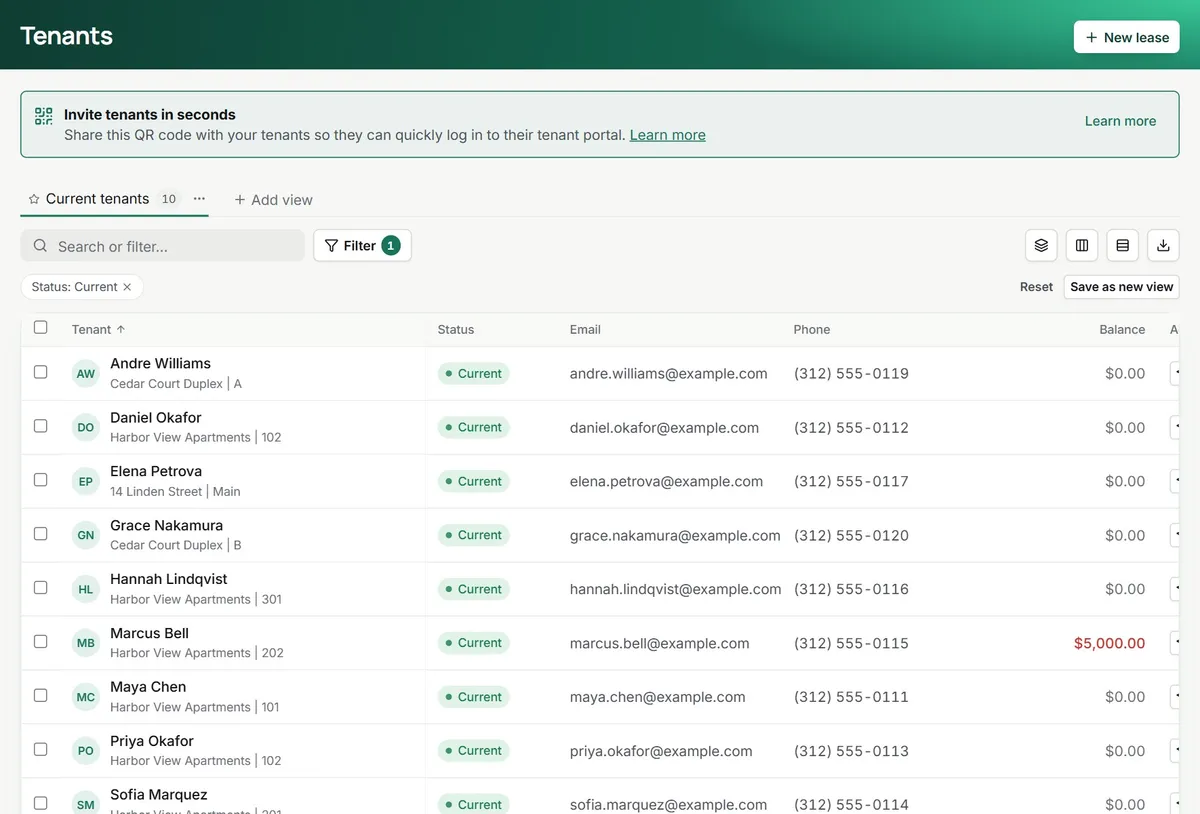
Less digging for the basics. Your side, then theirs.
The lease page answers first
Balance, upcoming charges, deposits held, term dates and the renewal status sit at the top of every lease, with quick actions to post a charge, receive a payment or give portal access.
- Tenants, transactions, files and notes in tabs
- Renewal offer one click away
- Communications with this lease in one tab
A ledger you can explain
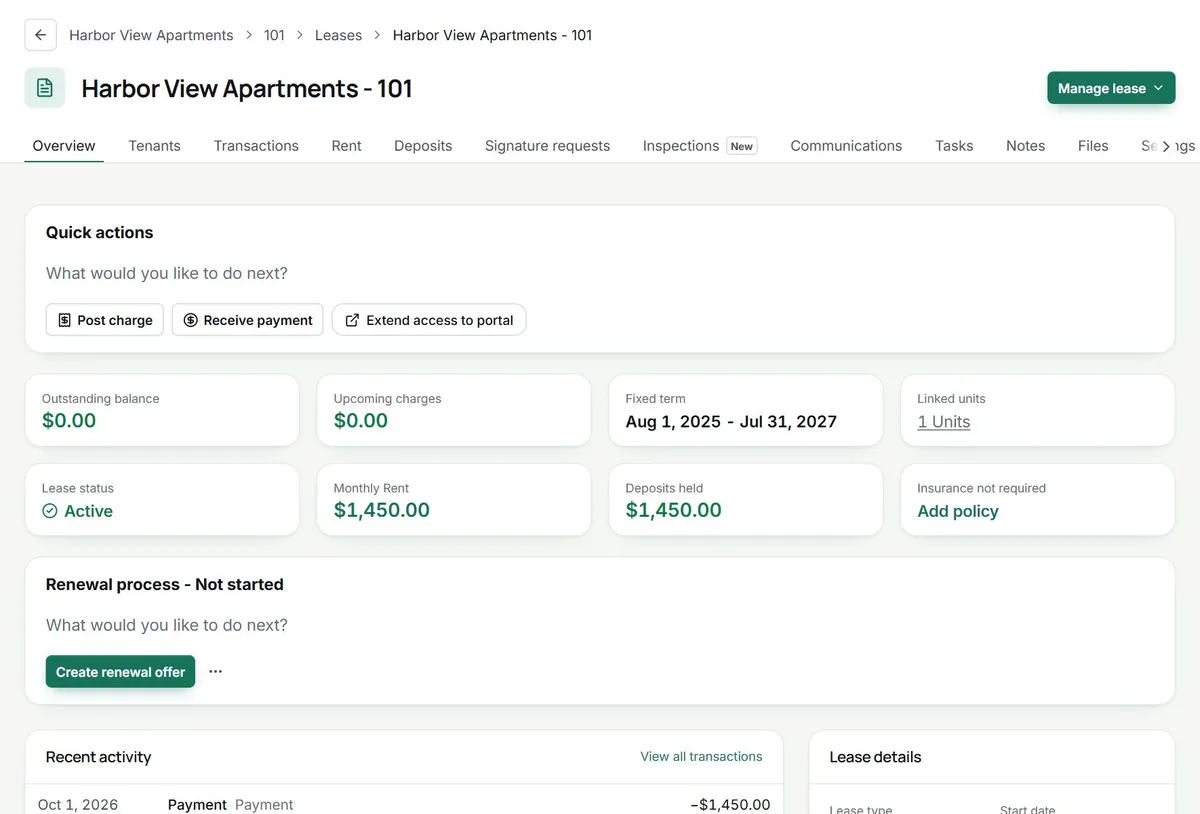
Every charge, payment, credit and refund on the lease, with a running balance. Export a statement for the tenant or open any line to see where it came from.
- Recurring rent posts on schedule
- Online payments land as they clear
- Late fees on your rules
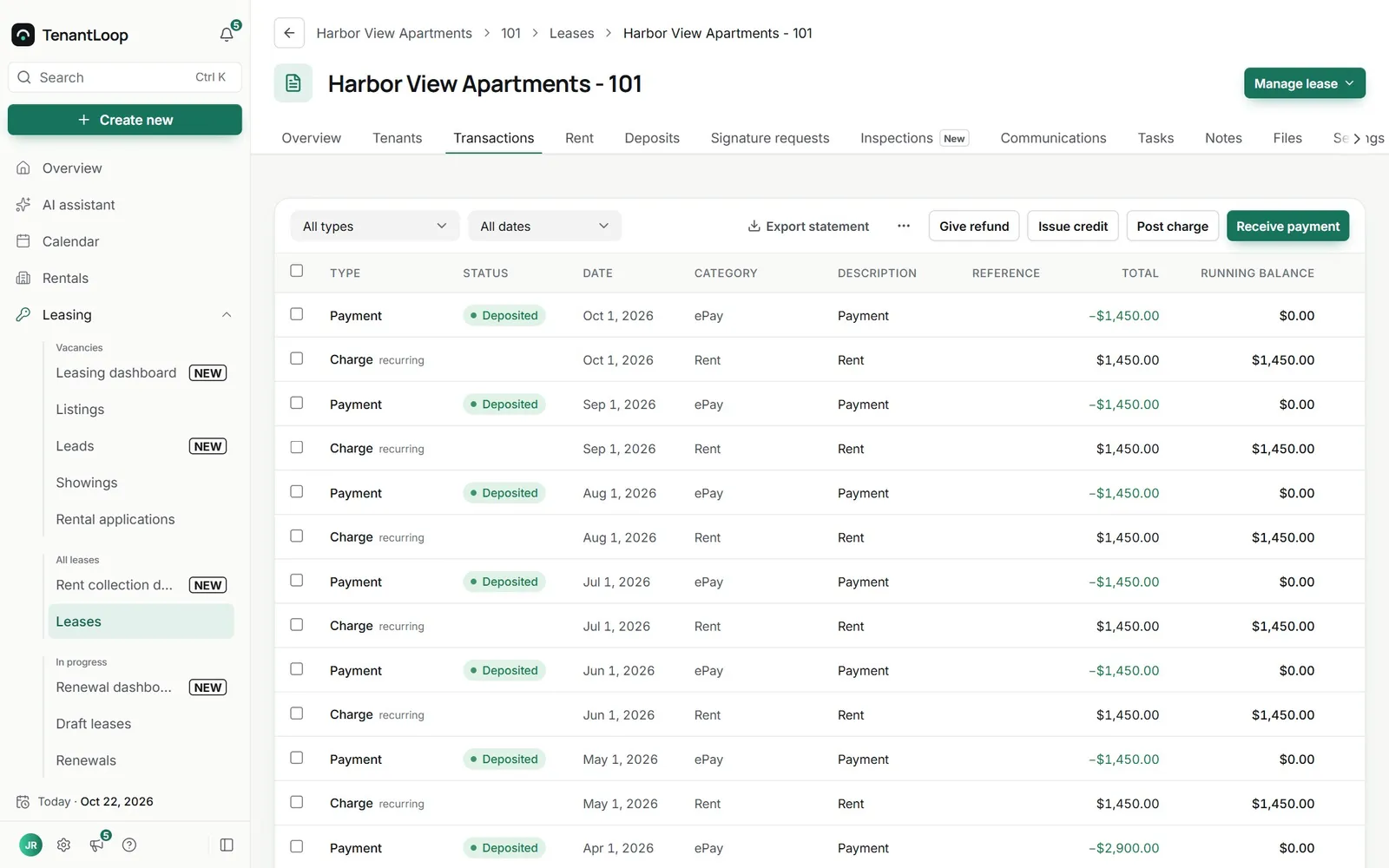
rent charged, rent paid, balance zero
What the tenant sees
Their portal opens on the balance and the next step: pay, set up Auto-Pay, read the latest announcement or follow a request. It works in any phone browser.
- Pay, Auto-Pay and receipts
- Requests with photos and status
- Lease details, files and announcements
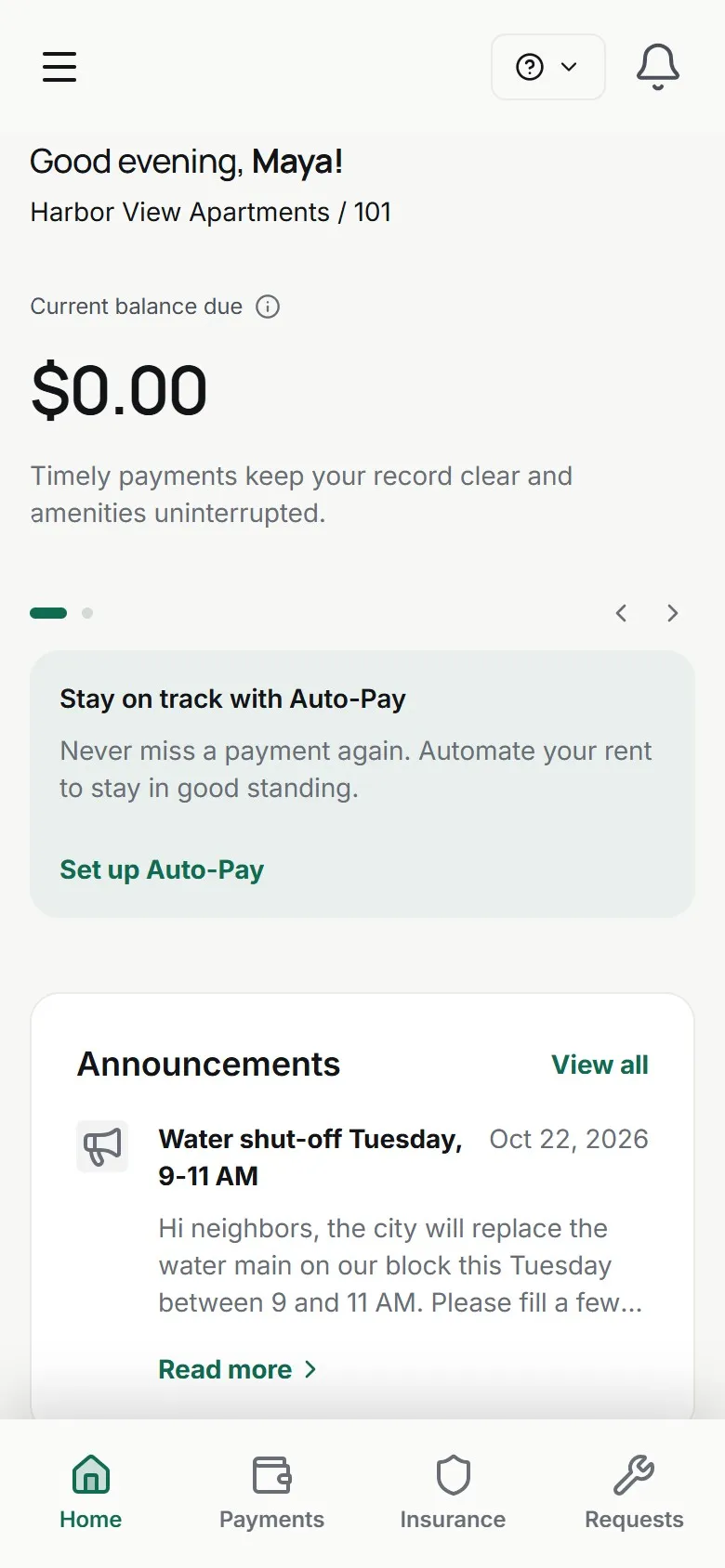
No more (crossed out: forwarded screenshots) of who paid what.
the tenant and your team look at the same ledger
On day one.
Set up in an afternoon.
- Tenant records with contacts, pets and vehicles
- Portal invites by email, in bulk or by QR code
- Portal settings per company, property or lease
- Ledger, files and messages on every lease
Works with
See integrationsAbout the tenant portal. What managers check first.
How do tenants get into the portal?
Send an invite from the tenant or lease page, or invite a whole list at once. You can also share a QR code: the tenant scans it, finds their lease and signs in with a one-time code sent to their email.
What exactly can a tenant do in there?
Pay rent and fees, set up Auto-Pay, see their ledger, send maintenance or general requests with photos, message your team, read announcements, open shared files and their lease details, upload proof of renters insurance and answer a renewal offer.
Can I switch parts of the portal off?
Yes. You decide whether tenants can pay online, see the ledger, send requests, view files and more, for the whole company, and then differently for a property or a single lease when one needs an exception.
Does every tenant on a lease get their own login?
Yes. Each tenant on the lease can be invited with their own email, so roommates and co-signers see the same lease without sharing a password.
Where do tenant messages end up?
Portal messages arrive in your Communications inbox, tied to the tenant and the lease, next to your email threads. On Pro and Premium tenants can ask the portal AI assistant routine questions, and on Premium the AI Receptionist answers routine tenant emails and portal messages from your policies.
Can I see what a tenant sees?
Yes. Staff can open the portal as the tenant to check what they will find before you send the invite.
Can the portal show my company instead of yours?
Yes. Add your logo, colours and contact details, and share your own portal address based on your company subdomain.
Ready to send the first invite?
14 days free, card up front, cancel in one click.