Property management without the runaround.
Rent, books, leasing and repairs in one login. AI agents carry the routine work, like a leak from the first message to the drafted bill, inside the rules you set.
14 days free on any plan. Card up front, cancel in one click.

Works with
See integrationsA Tuesday, handled. Five things that used to take five tools.
An example day in TenantLoop. Every item is a real screen or step in the product; the names and amounts are demo data.
- 8:02 amPayment received$1,250.00Rent, Unit 2BHarbor View ApartmentsPaid by bank in the tenant portal. Posted to the rent ledger.
- 10:14 amPortal request from Unit 2BHi, the kitchen sink is leaking under the cabinet.
- 10:15 amWork order #1002Replace kitchen sink drain trapEntry approved by the tenant. Plumber offered the job, booked for Thursday.Maintenance Ops agent
- 2:30 pmLease agreementUnit 202, 12 monthsSigned online with Dropbox Sign
- 5:40 pmBank reconciliation, September$0.00Difference. Bank and books agree.
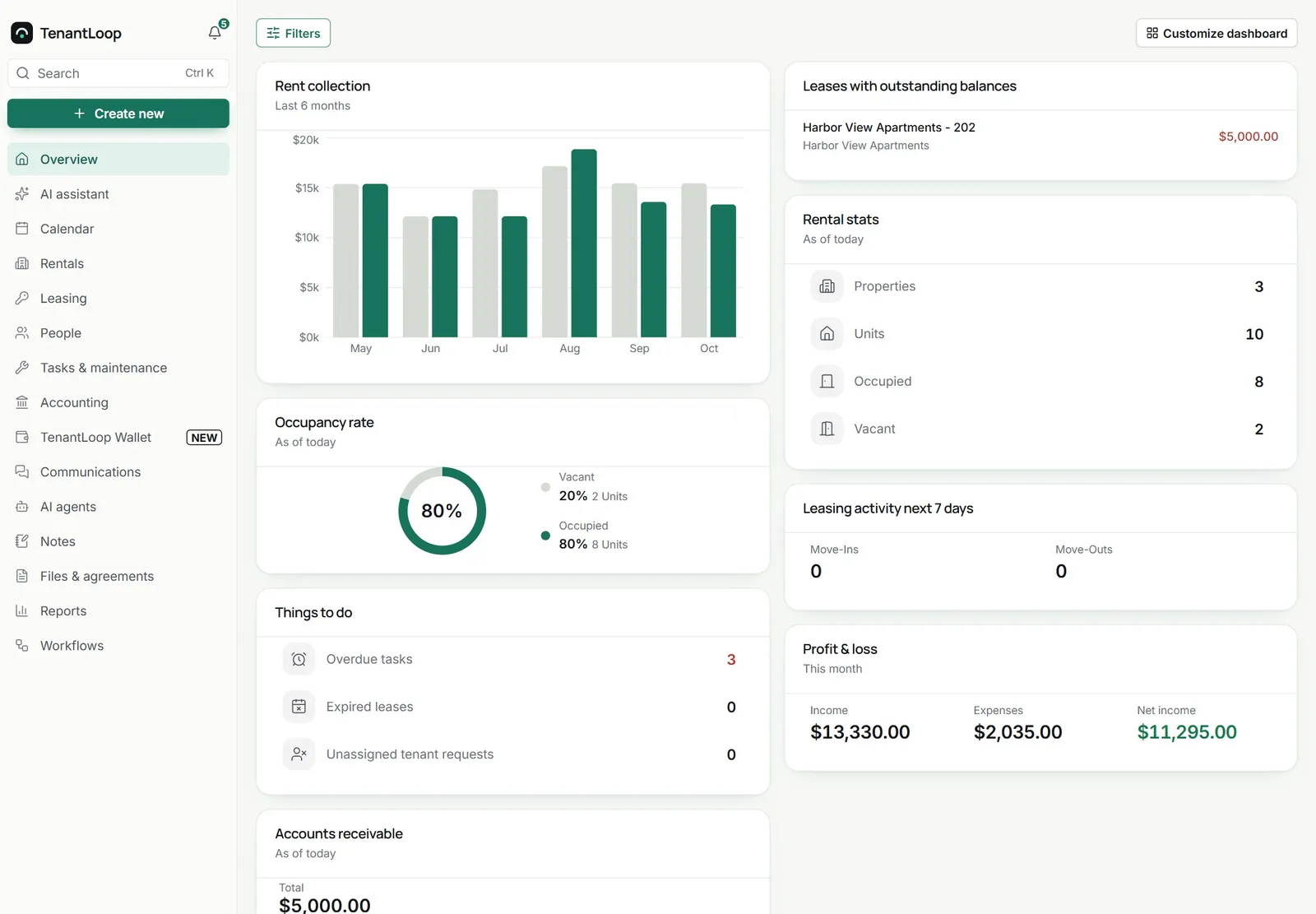
The daily work, on real screens.
Money and leasing, start to finish.
Rent in, books balanced
Tenants pay in the portal by bank or card, through your own Stripe account. Each payment posts to the ledger as it lands, so the rent roll and owner statements are already right when you open them.
- Autopay, reminders and late fees on your schedule
- Bank feeds through Plaid, reconciliation in one screen
- QuickBooks Online sync if your accountant wants it
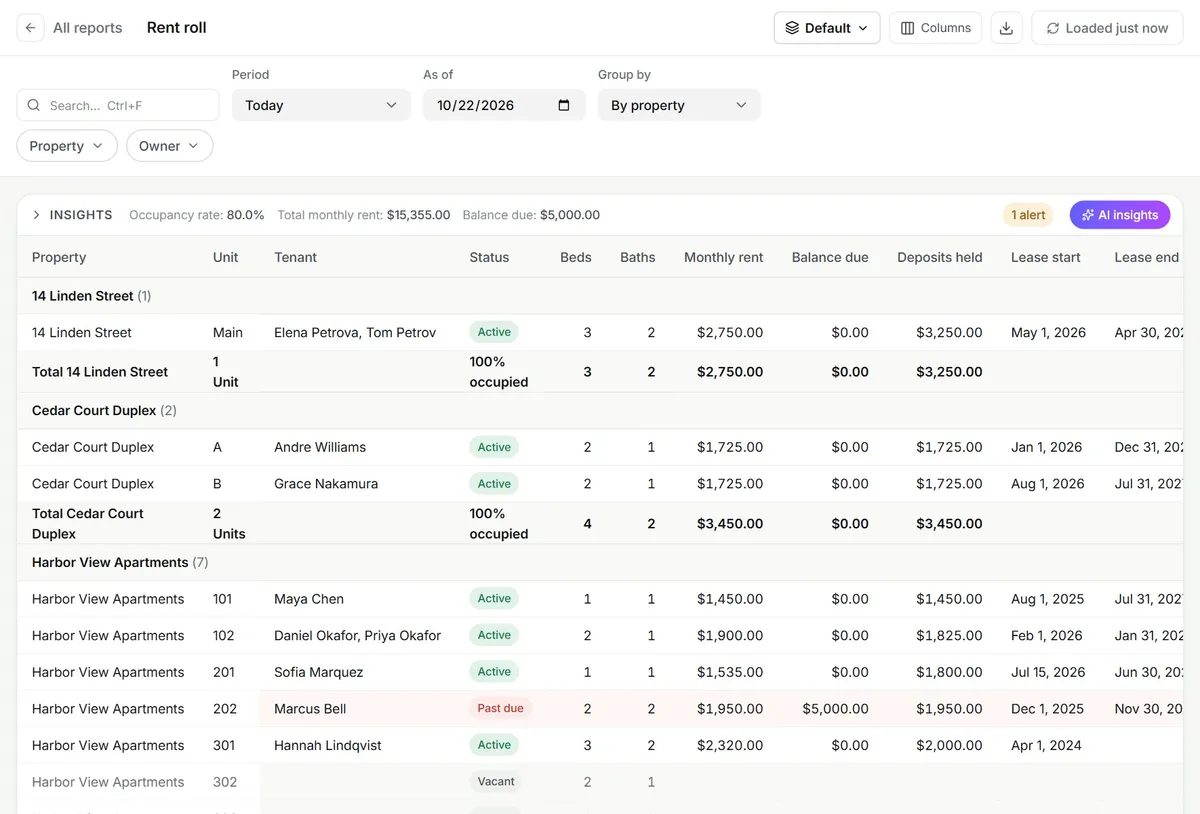
one late balance, flagged in red
Vacant to signed, on one path
List the unit, take applications with documents and fees, decide, then draft the lease from the approved application and send it for e-signature. The same record follows the tenant in.
- Listing pages with an online application
- Applications, documents and decisions in one place
- Leases signed online with Dropbox Sign
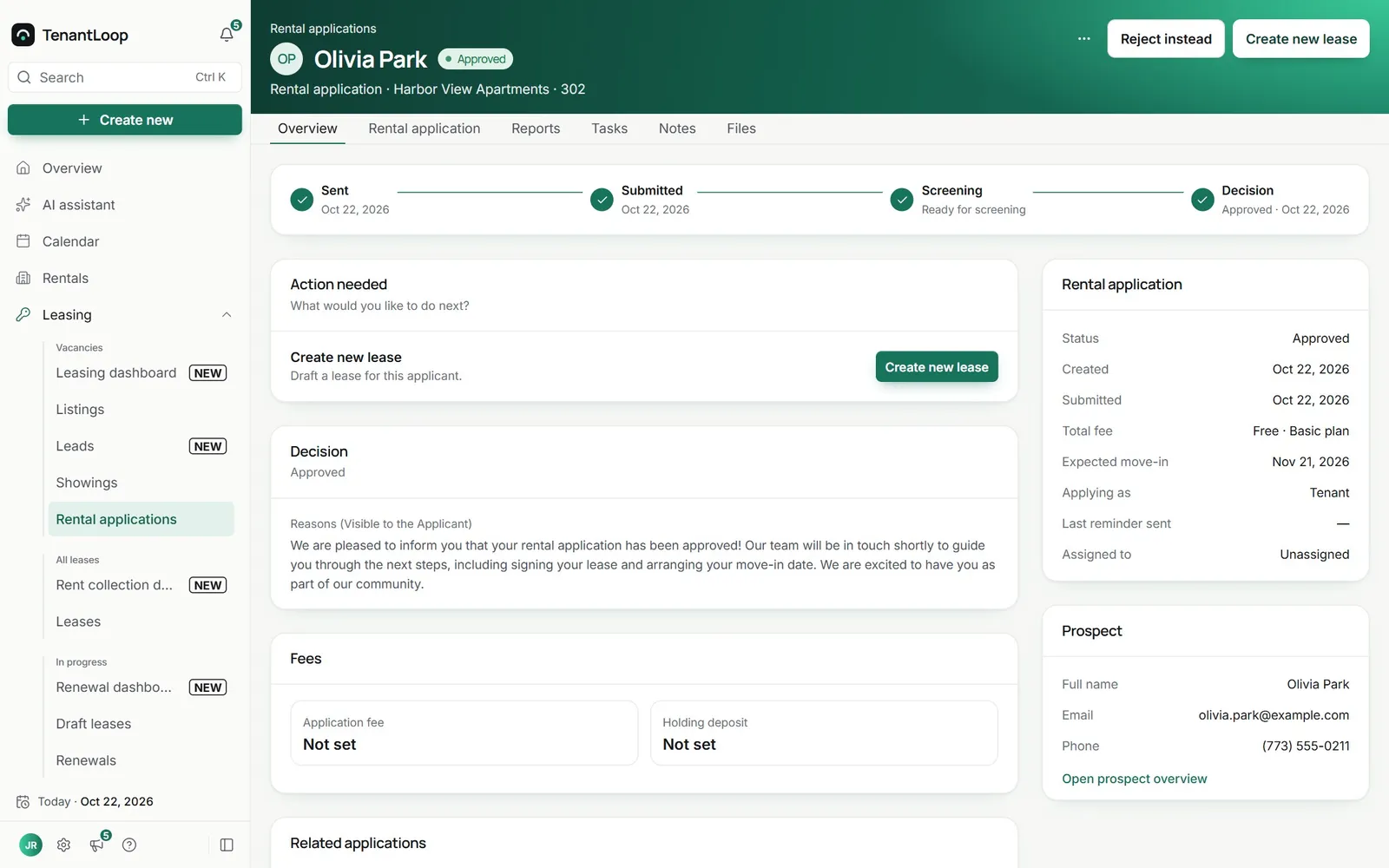
one click drafts the lease
A small team that takes the dull part. You keep the keys: agents act inside your rules, and every step is written down.
AI Assistant
Answers questions about your portfolio and drafts the busywork: listings, messages, bills and report summaries.
Pro and PremiumAI Receptionist
Replies to tenant emails and portal messages from your own policies, and hands the rest to you with the thread attached.
PremiumProspect agent
Answers new leads, asks your qualifying questions, sends the tour link and then the application.
PremiumMaintenance Ops agent
Carries a repair from the tenant request to the vendor visit to a drafted bill.
PremiumLease Renewal agent
Carries a renewal from the recommendation to a signed lease, on the terms you approve.
Premium
- Request receivedKitchen sink leaking, Unit 2B, from the tenant portal.(done)
- Tenant access approvalAsks the tenant for permission to enter.(done)
- Open a work orderTurns the request into a work order.Approved by you(done)
- Vendor selectionOffers the job to your chosen plumbers.Approve(waiting for approval)
- Maintenance eventBooks Thursday 9 to 11 and tells the tenant.(next)
- Vendor billReads the invoice and drafts the bill.Waits for you(next)
you pick the steps where a person signs off
- Inside your rulesAgents work with the permissions you give them and the policies you write.
- Every step on the recordEach action is logged and attributed in the activity log.
- A person where you want oneChoose the steps that wait for approval: opening a work order, picking a vendor, a bill, a renewal offer.
Agents run on Claude Opus 5.5 by Anthropic. AI is not included on Starter.
See how the agents workFive tools that never talked, or one login.
- The rent spreadsheet
- A group text thread
- A payment app
- An e-sign tool
- The accounting file
- Rent, ledgers and late fees
- Books, bank feeds and owner statements
- Listings, applications and e-signed leases
- Requests, work orders and vendors
- Tenant and owner portals
Same records for you, your team and the agents.
one place to look, one place to fix
See every featurePro plan
Billed monthly
- 40 units at $2.25
- $90.00
- Monthly minimum
- $139.00
- AI Assistant
- Included
- E-signatures a month
- 10
- Self-serve onboarding
- Free
per month, after a 14-day free trial
that's the whole bill. No setup fee.
Before you move your rentals over.
What does it cost?
You pay per unit each month, never less than the plan minimum.
- Starter: $1.50 a unit each month, $59 minimum. The full platform, no AI.
- Pro: $2.25 a unit each month, $139 minimum. Adds the AI Assistant.
- Premium: $4.00 a unit each month, $349 minimum. Adds the AI Receptionist, Prospect, Maintenance Ops and Lease Renewal agents.
Paying yearly takes 18% off, and setup costs nothing. See every plan.
How does the free trial work?
Pick a plan and add a card when you sign up. You get 14 days on that plan. We email you 3 days before day 14, the first charge is on day 14, and cancelling before then is one click in settings.
Can an agent do something I did not sign off on?
Only on the steps you leave open. Each agent step can wait for your approval: opening a work order, choosing a vendor, a vendor bill, a renewal offer. Every action is written to the activity log with who or what did it, and anything outside your policies is handed to a person with the thread attached.
Can I bring my existing data?
Yes. Import properties, units, tenants, leases and opening balances from spreadsheets, and connect your bank through Plaid for transactions. Self-serve onboarding is free; guided onboarding with a specialist is $149 once, if you want it.
Is there a phone app?
TenantLoop runs in the browser on phones, tablets and computers, and the tenant and owner portals are built for small screens. There is no app-store app yet.
How is my data protected?
Every user gets a role and a property scope, sign-in supports two-step verification and Google, and changes and agent actions land in an audit trail. Card and bank payments are processed by Stripe on your own Stripe account. More on security.