Keep QuickBooks. Drop the double entry.
Run the properties in TenantLoop and let your accountant keep QuickBooks Online. Accounts, tenants, vendors, properties and transactions go across on a schedule you pick.
14 days free on any plan. Card up front, cancel in one click.
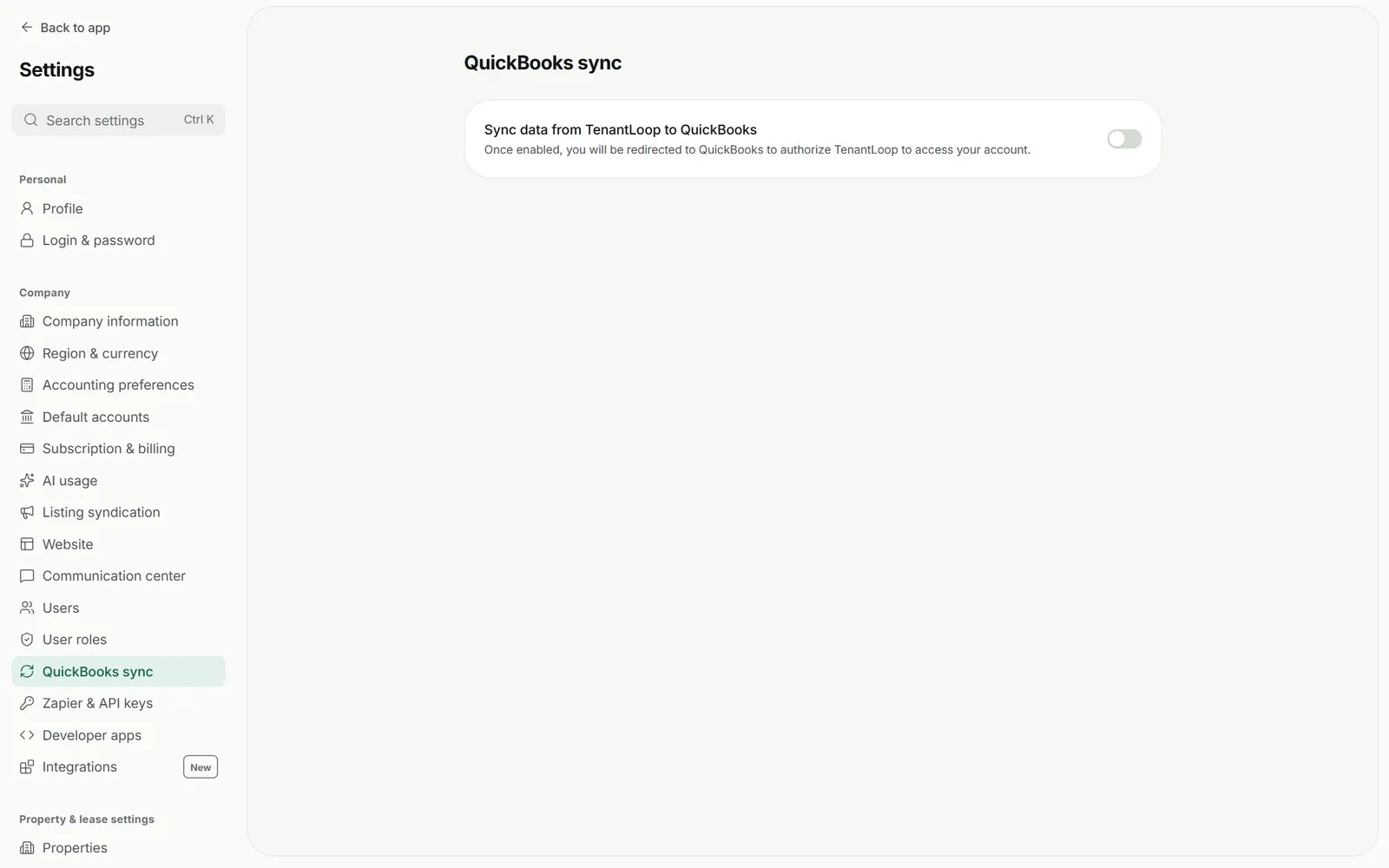
Your property data, in your accountant's ledger. Mapped once, then left alone.
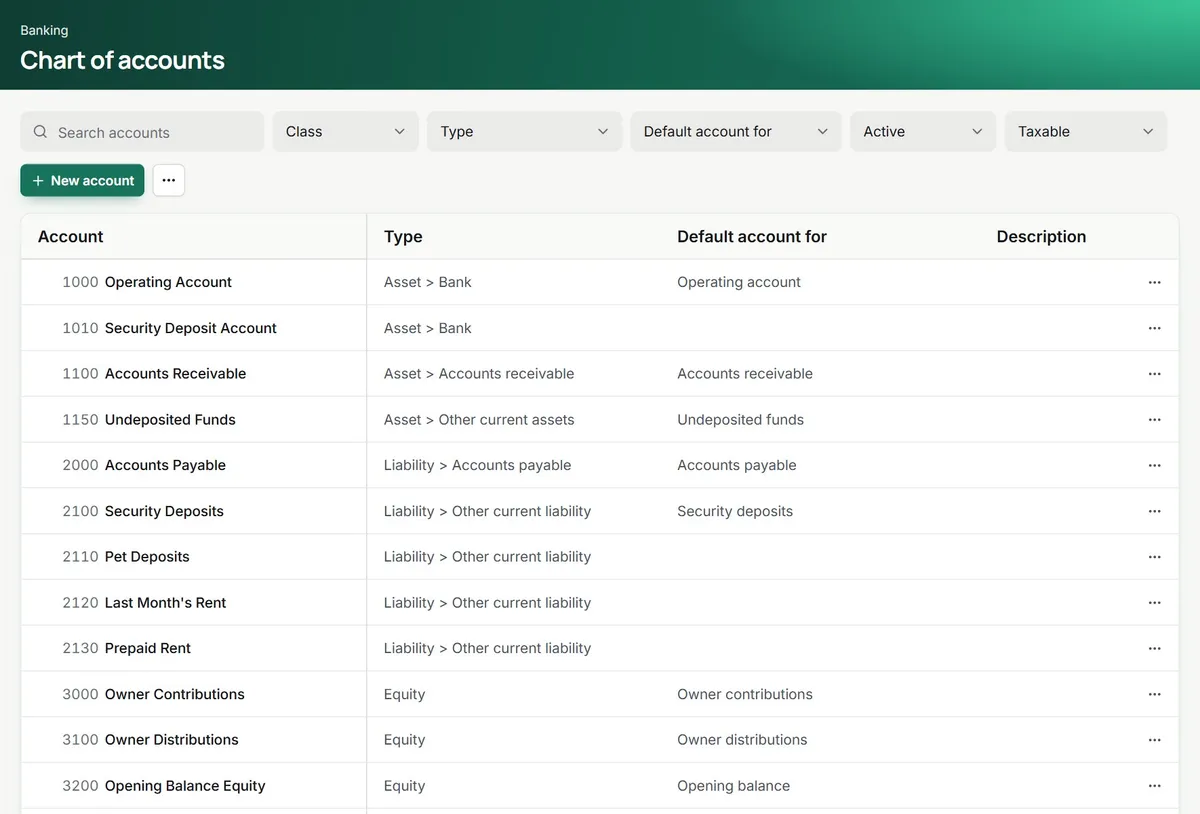
Map your accounts once
Before the first sync you choose the QuickBooks account each TenantLoop account posts to, of the same type, or let TenantLoop create it. Sub-accounts can keep their parent.
- Accounts map to the same account type
- Missing accounts created for you
- A sync start date, so old years stay put
Properties arrive as classes
Each property becomes a QuickBooks class and every journal line carries it, so your accountant can still run profit and loss by property in QuickBooks.
- One class per property
- The class on every journal line
- Needs class tracking turned on in QuickBooks
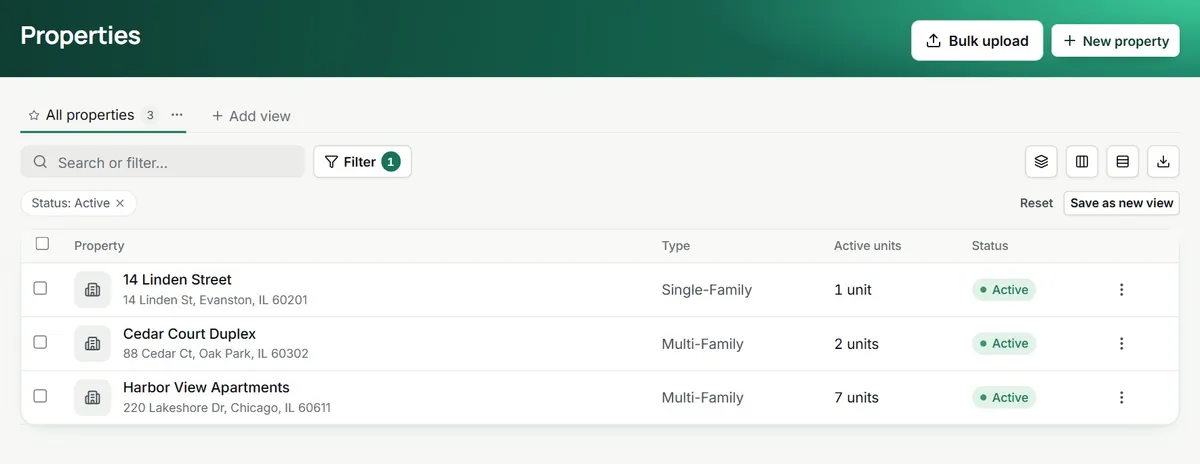
this one becomes a class
Transactions as real QuickBooks records
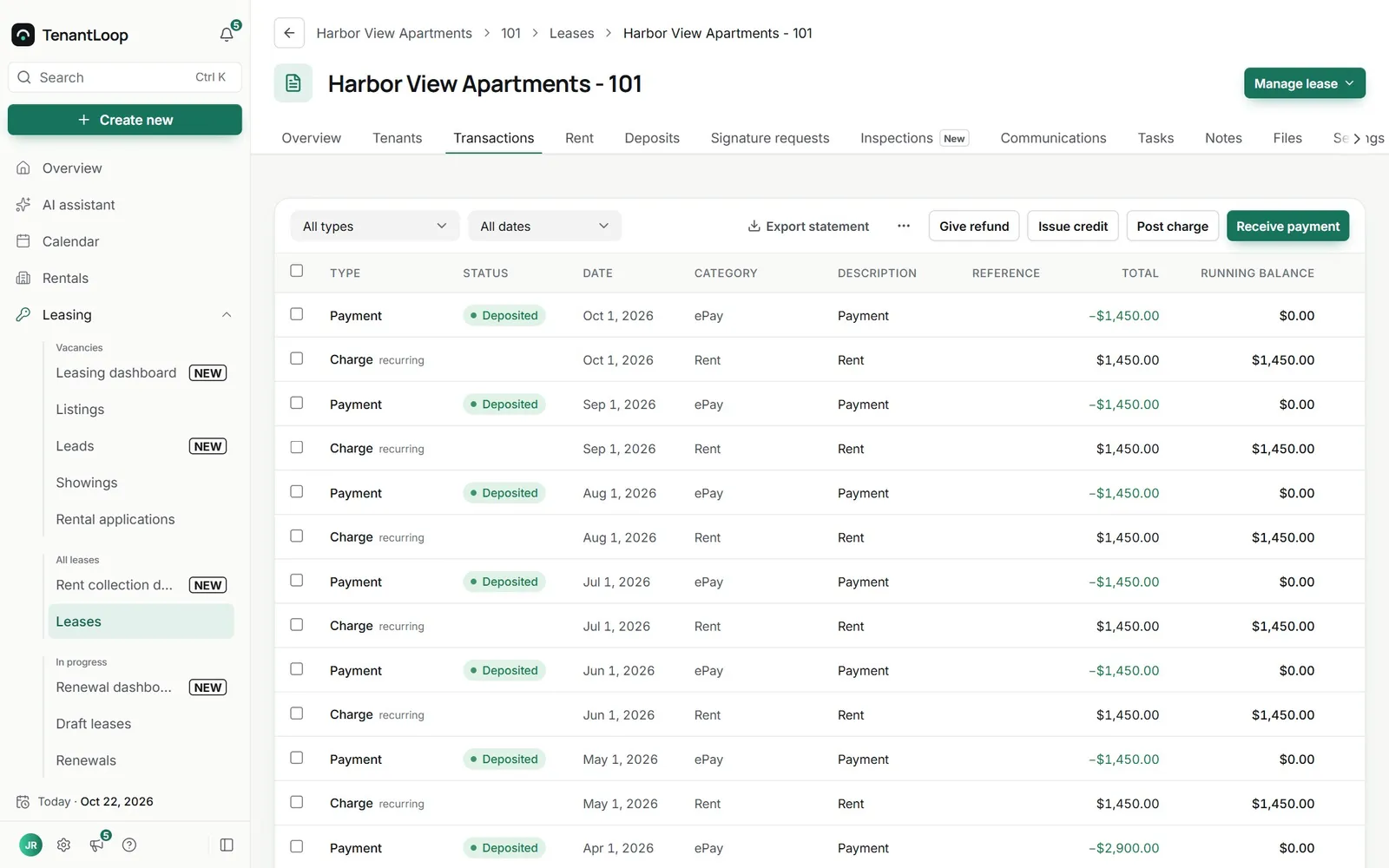
Lease charges go across as invoices, payments as payments applied to them, and bills as bills. Credits, deposits, transfers and owner transactions go as journal entries with the same accounts, amounts, dates and property.
- Charges as invoices, payments as payments
- Bills and bill payments as themselves
- Everything else as journal entries
One way or both ways. You pick in settings.
On two-way, TenantLoop's details win when a record exists in both. Sync runs every hour or once a day, or right away with Sync now. Disconnecting leaves everything already in QuickBooks where it is.
Set it up in one sitting.
Then check the log, not the numbers.
- Sync start date. Send only transactions from the date you choose.
- Sync now. Push changes straight away instead of waiting for the hour.
- Status and log. See what was sent, and anything that needs a fix.
- Reconnect without starting over. The same company picks up where it stopped.
QuickBooks questions, answered.
Which QuickBooks does it work with?
QuickBooks Online. QuickBooks Desktop is not supported.
Is the sync one way?
You choose. TenantLoop to QuickBooks sends your data across. Two-way also brings vendors and accounts you add in QuickBooks into TenantLoop. When a record exists on both sides, TenantLoop's details win.
Do I have to map every field?
No. You map accounts once, before the first sync. Tenants, vendors, properties and transactions follow from there.
How soon does data show up in QuickBooks?
The first sync starts when you save the account mapping and sends everything from your sync start date. After that it runs every hour or once a day, or straight away with Sync now. Allow up to 24 hours for the first one to finish.
What happens if I disconnect?
Syncing stops. Everything already in QuickBooks stays there, and reconnecting the same company picks up where it left off.
Do I need QuickBooks at all?
No. TenantLoop has a full general ledger and reports of its own. The sync is for teams whose accountant or tax preparer works in QuickBooks Online.
One set of entries, two places to read them.
14 days free, card up front, cancel in one click.