Every document, filed where it belongs.
Attach leases, photos, invoices and notices to the property, unit, lease or person they are about, then find them from that record or the company-wide Files list.
14 days free on any plan. Card up front, cancel in one click.
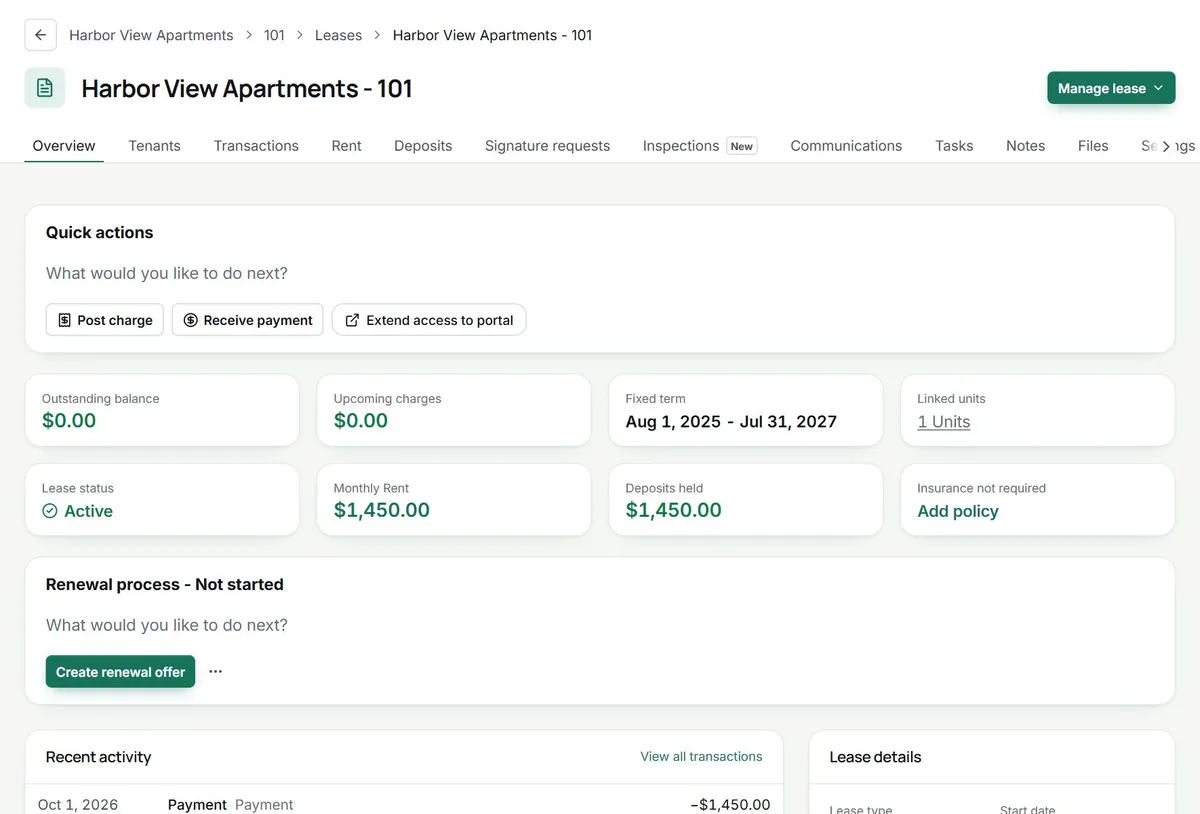
No more hunting through drives. Files live on the record.
Signed documents stay with the lease
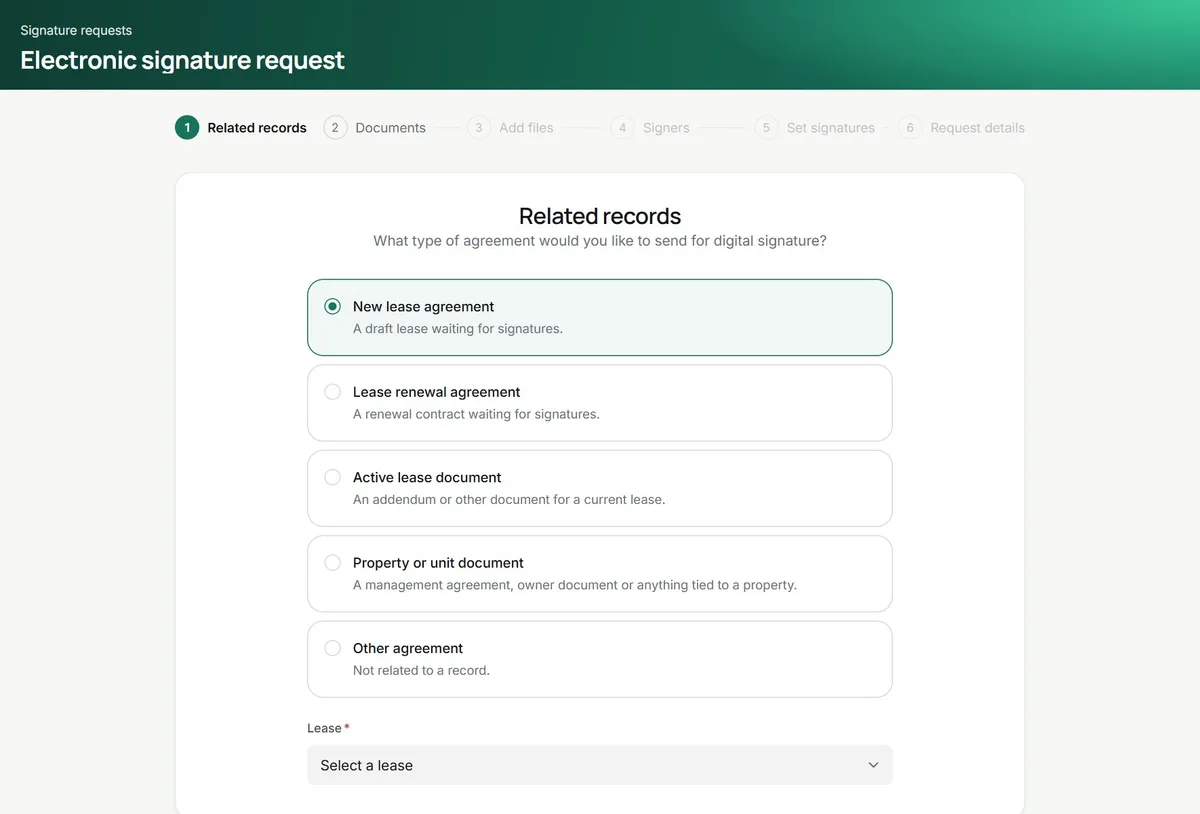
Send a new lease, a renewal, an addendum or a property document for e-signature from TenantLoop. The signed copy is filed on the record it belongs to.
- Leases, renewals, addenda and owner agreements
- Signature requests listed on each lease
- Signed copies next to the ledger
Copies tenants can find themselves
Share a file with tenants and it shows up under Files in their portal, next to their lease details. Owners get their own Files tab for what you share with them.
- Shared with tenants or a chosen owner
- Private email links that expire
- Revoke a link at any time
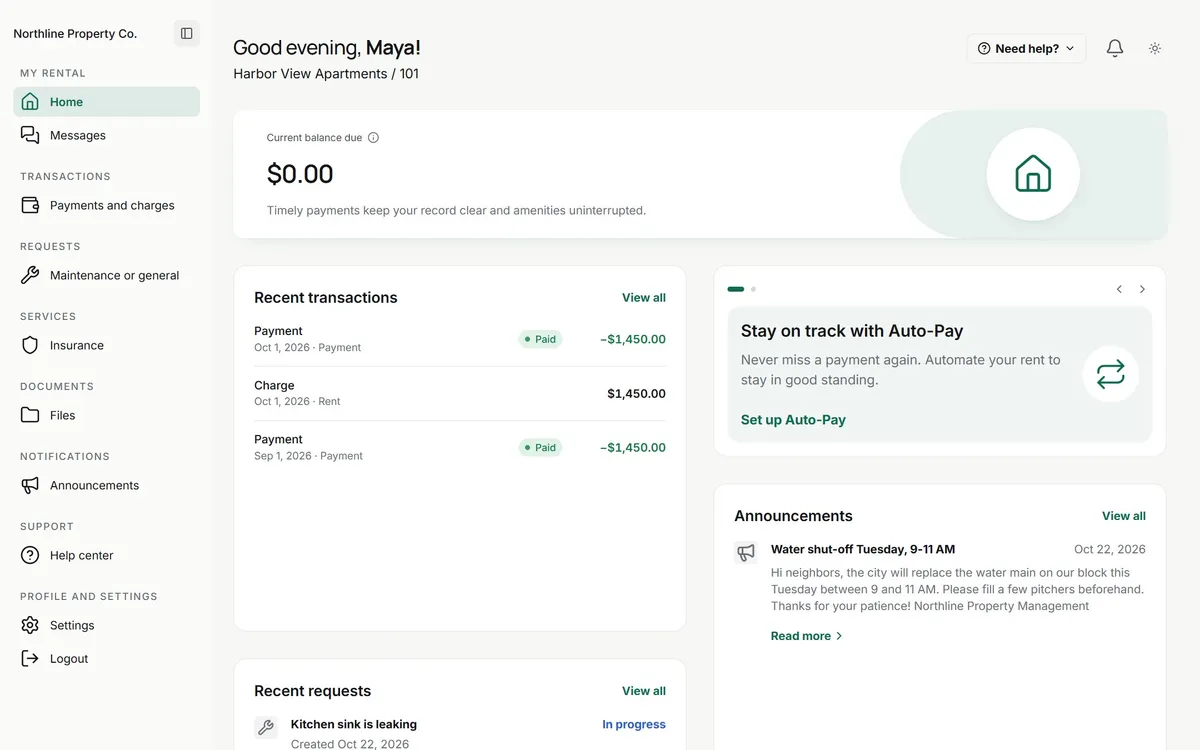
only the files you chose to share
Photos that prove the condition
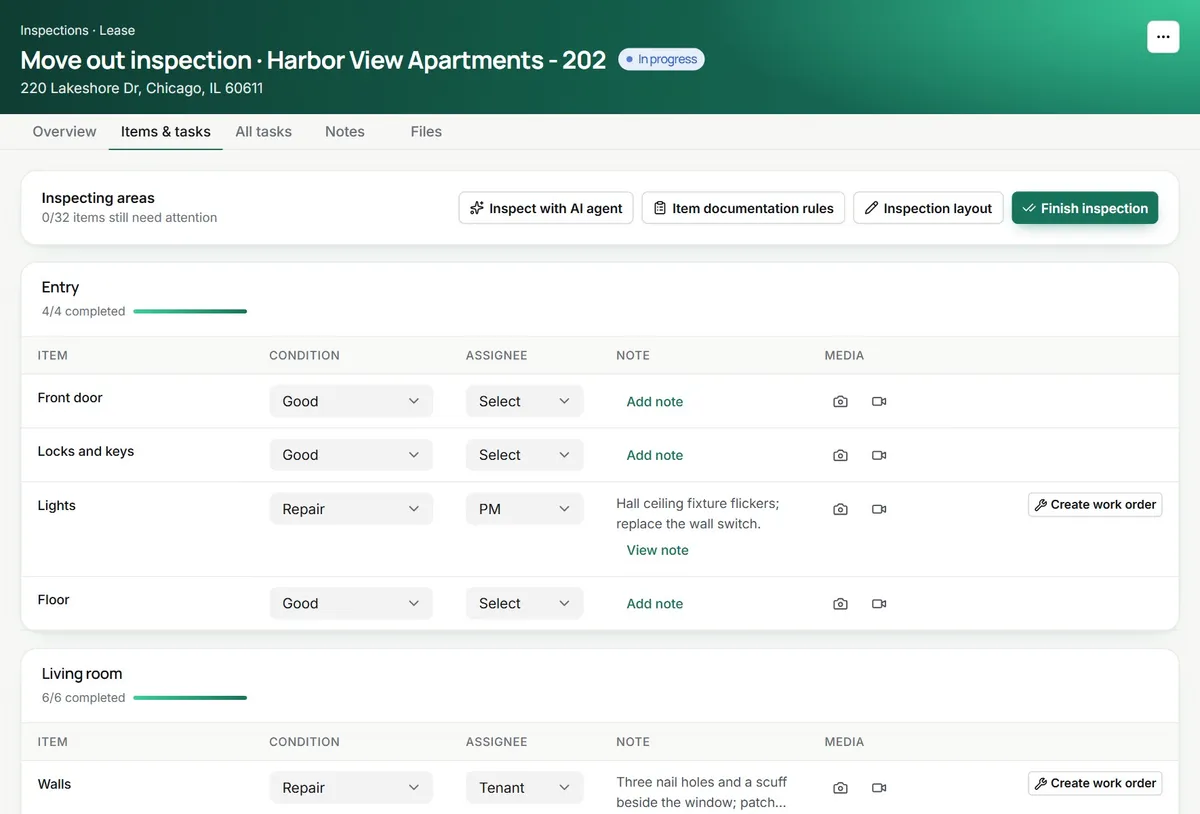
Inspection photos and videos are stored on each item, and every inspection, task and work order has its own Files tab for quotes, invoices and receipts.
- Up to 20 photos and 5 videos per inspection item
- Vendor invoices on the work order
- A company-wide Files list with saved views
No more (crossed out: shoeboxes) of signed leases in the office.
the signed copy is a click from the rent ledger
On day one.
Where your files go from the first upload.
- Files on properties, units, leases and people
- No storage cap, 25 MB per file
- Sharing with tenants and owners you pick
- Email links that expire, with a download count
Works with
See integrationsBefore you move the filing cabinet. What managers ask.
Is there a storage limit?
No cap on how much you store. Each file can be up to 25 MB, and you can upload up to 10 at a time. Scripts and program files are blocked for safety.
Who on my team can open leases and financial files?
Files are a permission in each role, so you decide who can view, upload, edit or delete them. Tenants and owners only see the files you share with them.
How do I give a tenant a copy of a document?
Mark the file as shared with tenants and it appears in the Files page of their portal. Owners work the same way, one owner at a time, so a document only reaches the people you picked.
Can I send a file to someone outside TenantLoop?
Yes. Share it by email with up to 10 people. Each gets a private download link that expires after 1 to 30 days, and you can see the download count or revoke the link early.
What kinds of files can I keep?
Images, PDFs, Word and text documents, spreadsheets and most other everyday formats. They are grouped by type on each record so a lease, a photo and an invoice are easy to tell apart.
What happens to signed leases?
Documents you send for e-signature stay on the lease or property they belong to, so the signed copy is next to the rent ledger and the tenant record.
Which folder will you empty first?
14 days free, card up front, cancel in one click.