Bank lines, already sorted.
Connect your bank and card accounts once. New lines arrive on their own, match the payments and bills you already recorded, and wait for a quick yes.
14 days free on any plan. Card up front, cancel in one click.
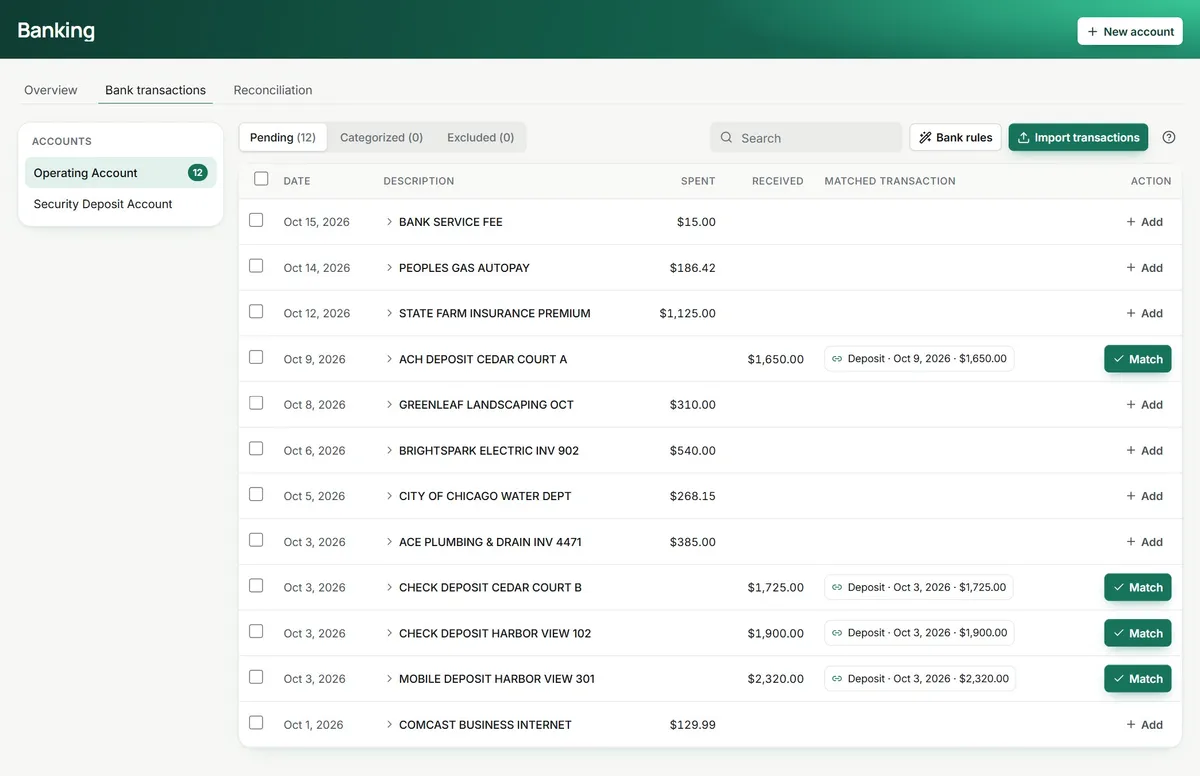
From your bank to the right account. Then one tick to close the month.
Connect each account once
Sign in to your bank through Plaid and pick the account. Each TenantLoop bank account follows one account at your bank, and the card above its lines shows when it last updated.
- Operating, deposit and credit card accounts
- A CSV statement for any bank Plaid cannot reach
- Connection status on every account
Matches, suggested
When a bank line looks like a deposit or bill already in TenantLoop, it is offered as a match. Accept it, record something new, or exclude a line that does not belong in the books.
- Match, add or exclude each line
- Bank rules sort the lines that repeat
- Pending, categorized and excluded tabs
the rent deposit, already on the ledger
Reconcile to the cent
Open the statement period, enter the ending balance and tick what cleared. When the difference reads $0.00 you save, and the reconciliation is kept as a PDF.
- Beginning, ending and cleared balances on one screen
- Filter by date, type and property
- A record of every finished reconciliation
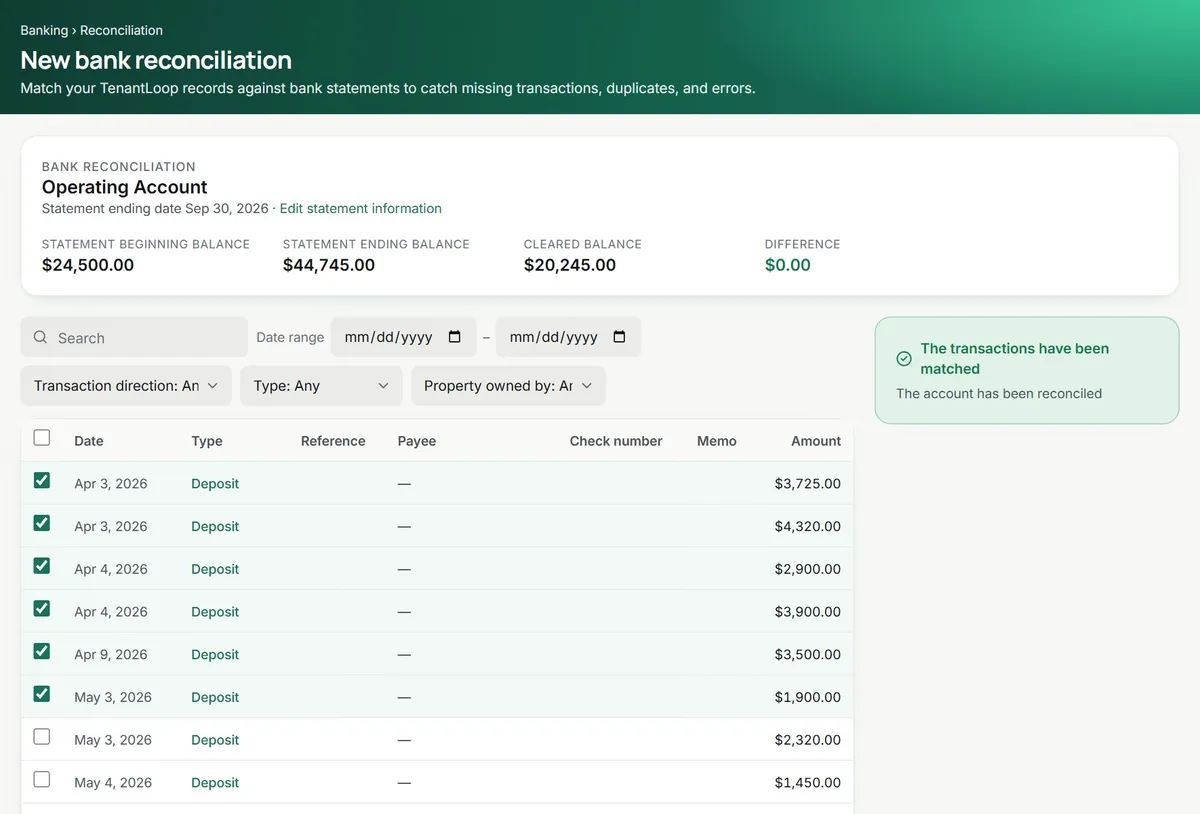
Tick it off. Watch the difference fall to zero.
This is how reconciling works in TenantLoop: open the statement period, tick each line the bank shows, and save when the difference reads $0.00. Try it on five demo lines.
same steps as the real screen
Bank and books agree. Ready to save.
Connected in an afternoon.
Then it just runs.
- Bank and card feeds. Through Plaid, one feed per TenantLoop account.
- Statement import. CSV files for banks that do not connect.
- Bank rules. Sort repeat lines like utilities and insurance into the right account as they arrive.
- Reconciliation history. Every finished reconciliation kept as a PDF.
AI Assistant (Pro and Premium). Answers questions about balances and transactions across your accounts, so you can check a number without running a report. Meet the assistant
Bank questions, answered.
Does my bank work with it?
Most US banks and card issuers connect through Plaid. If yours does not, download a CSV statement from the bank and import it. The lines then work the same way.
Does TenantLoop see my bank password?
No. You sign in to your bank inside Plaid's window. TenantLoop receives the account's transactions and balance, not your login.
What if a line does not belong in TenantLoop?
Exclude it. Excluded lines stay in their own tab, out of the books, and you can bring one back if you change your mind.
Can I connect credit cards too?
Yes. Connect a credit card the same way as a bank account and categorize its lines as expenses.
Do I still need to reconcile?
Yes, once a month per account, against the bank statement. With the lines already matched it is mostly a matter of ticking and checking the difference.
Let the bank do the typing.
14 days free, card up front, cancel in one click.