Leaving TenantCloud? Bring everything with you.
Double-entry books, owner statements and AI agents in one system, for when the portfolio outgrows a starter tool. Import your TenantCloud data from spreadsheets.
Self-serve onboarding is free. Guided is $149, if you want it.
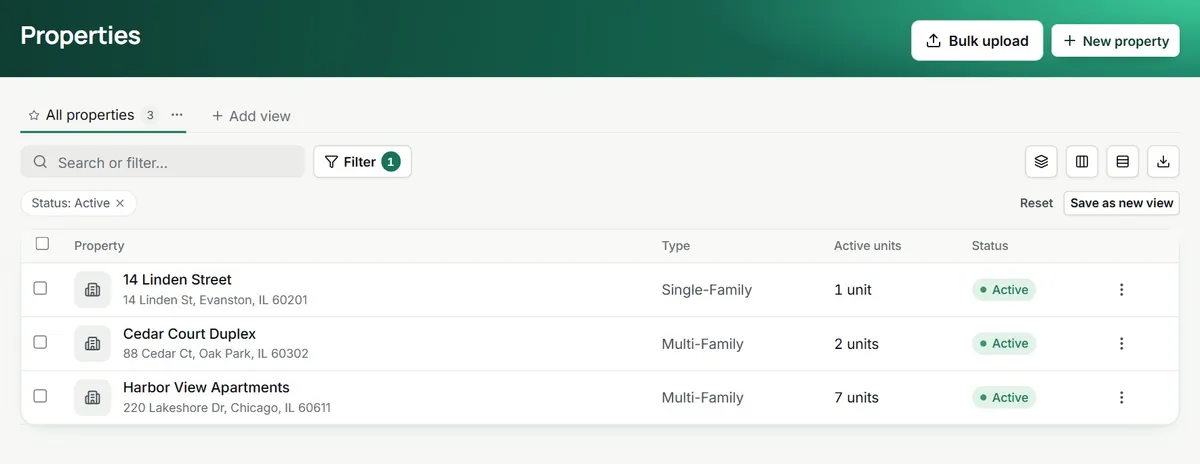
What comes across. And what you set up fresh.
Imported from your spreadsheets
- Properties and units, with types, addresses and sizes
- Tenants, owners and vendors, with their contact details
- Leases, with terms, recurring charges and deposits
- Opening balances and a trial balance for the books
- Files uploaded to the property, unit or lease
Connected or set up in TenantLoop
- Your Stripe account for online rent and autopay
- Bank accounts through Plaid for feeds and reconciliation
- QuickBooks Online, if your accountant uses it
- Tenant and owner portals, by email invitation
- Your rules for late fees and agent approvals
Your first week.
An example of how it can go.
Every step is something you do in TenantLoop. How long yours takes depends on how much data you bring; names and amounts are demo data.
- Day 1Spreadsheet import3 properties, 12 units, 11 leasesOpening balances entered with the trial balance step.
- Day 2ConnectedStripe account and bank feedBank transactions flowing in through Plaid.
- Day 3Email to your tenantsYour new tenant portal is ready. Accept the invitation to pay rent online.
- Day 5First payment received$1,450.00Rent, Unit 101Paid in the new portalPosted to the lease ledger.
- Day 7Bank reconciliation$0.00Difference. Old and new books agree.
Do it yourself, or with us. Your call.
Self-serve Free
- Bulk upload from your spreadsheets
- A setup checklist inside the app
- Email support from the people who build it
Guided $149 once
- A specialist helps you prepare and import your files
- Balances checked with you before you go live
- Optional, one payment, no contract
Leaving TenantCloud, the practical questions.
Do I have to leave TenantCloud before I try TenantLoop?
No. Start the 14-day trial, import a few properties and run them side by side. Cancel either one when you are sure.
Is there a direct import from TenantCloud?
Not a one-click connector. You export your data from TenantCloud as spreadsheets and import them into TenantLoop with bulk upload. Guided onboarding ($149 once) is there if you want a specialist to check the files with you.
What does not come across?
Message history, past e-signature audit trails and old work order threads stay in TenantCloud. Export anything you need to keep as files and upload them to the property, unit or lease in TenantLoop.
Is there a discount for switching?
No. Prices are the same for everyone and published on the pricing page. Self-serve onboarding costs nothing.
Will my tenants have to do anything?
They accept an email invitation to the tenant portal and add a payment method if they want to pay online or set up autopay.
Do the AI agents act on their own?
Only on the steps you leave open. Each step of an agent (sending a vendor offer, drafting a bill, sending a renewal offer) can wait for your approval, and every action is written to the activity log.